Target Roles: Event Managers, Sales Coordinators, Group Sales Representatives, System Administrators
Last Updated:
Executive Overview
The Travel Agent Commission configuration in EventKey allows sales and catering teams to attach IATA-registered travel agencies to event proposals and define custom commission structures. By configuring the Posting Type setting as either Gross or Net, properties can control whether agency commissions are tracked for separate payout (Gross) or directly deducted from the total invoice amount due (Net Invoicing).
📝 Operational Note: Setting the Posting Type to Net automatically deducts the calculated travel agency commission from the overall billing total, enabling net-rate invoicing for third-party bookers.
Configuration Guide: Setting Up Travel Agent Commissions & Net Invoicing
System Navigation Path
Home > Event Management > Create a Proposal (or active Event Record) > Step 2: Contact Info
Step
Action
Platform Guidance & Operational Details
Access Contact Step
Navigate to Step 2: Contact Info in the event proposal wizard.
Remove Option: Provides a red Remove button to detach or modify the travel agent profile prior to proposal submission.
Commission Calculation Parameters
Commission Type:
NONE: Suppresses commission calculations for this travel agency booking.
Amount: Applies a fixed flat fee deduction (e.g., $50.00).
Percentage: Applies a variable percentage calculation (e.g., 10%) against the selected revenue base.
Commission Value: Input field accepting numeric percent or currency values.
Commission Base: Defines which revenue buckets are eligible for commission calculation:
Space: Calculated strictly on meeting room rental revenue.
Sleeping Room: Calculated strictly on sleeping room block revenue.
Package: Calculated strictly on food, beverage, and AV package sales.
Space, Package: Calculates on combined room rental and package revenue.
Space, Sleeping Room: Calculates on combined room rental and group sleeping rooms.
Total Revenue: Applies commission across all event revenue streams.
Posting Type (Gross vs. Net Invoicing)
Gross: Standard commission model where the client/agency is invoiced for 100% of the gross event revenue. Commission is tracked internally for post-event payout or accounts payable distribution.
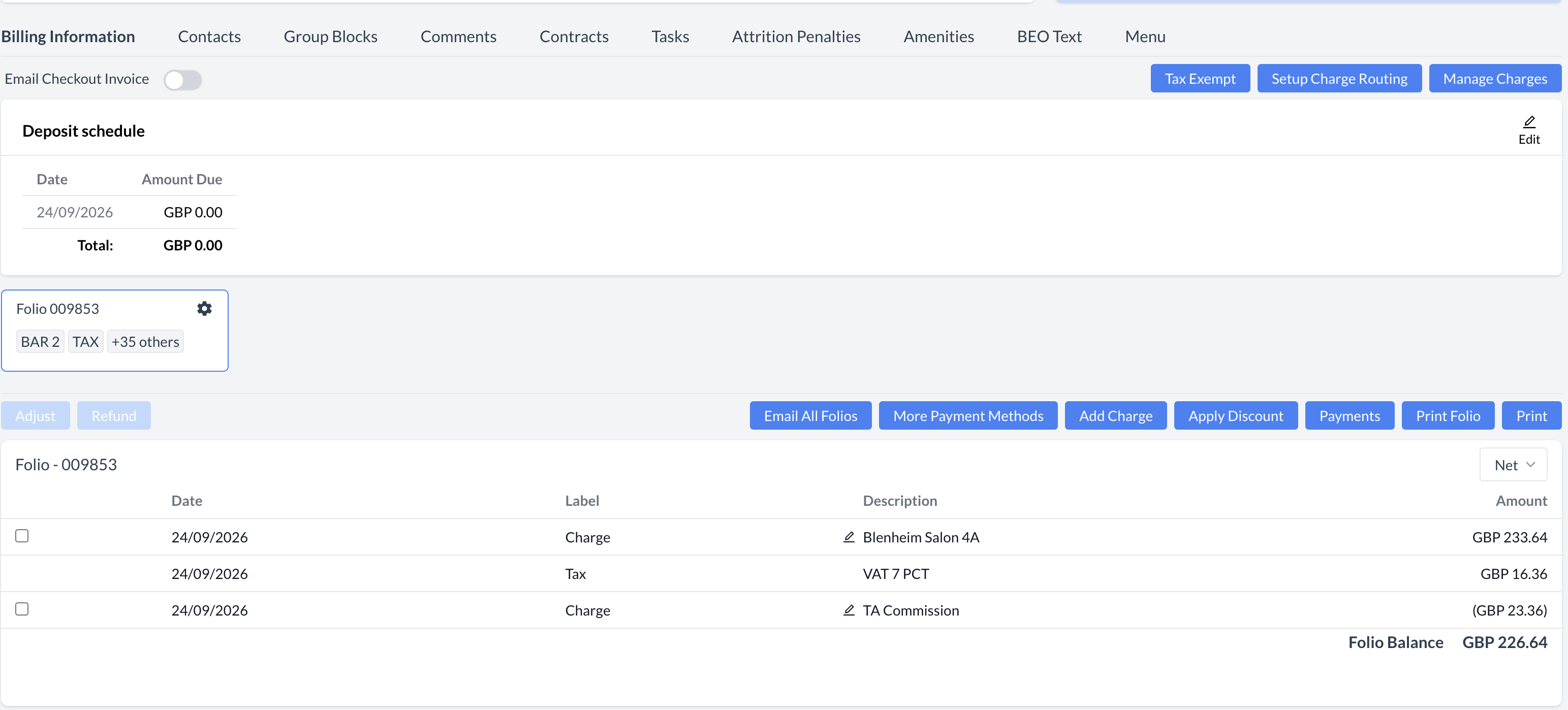
Net (Direct Commission Deduction): Net-rate billing model where the calculated travel agency commission is automatically subtracted from the event total on billing statements, allowing the agency to pay the net amount directly.
📷 VISUAL CALLOUT:
Example of a Net (Direct Commission Deduction) billing model where the calculated travel agency commission is subtracted from the event total on the billing statement.
Direct Commission Deduction Example
UI Visibility & Summary Display
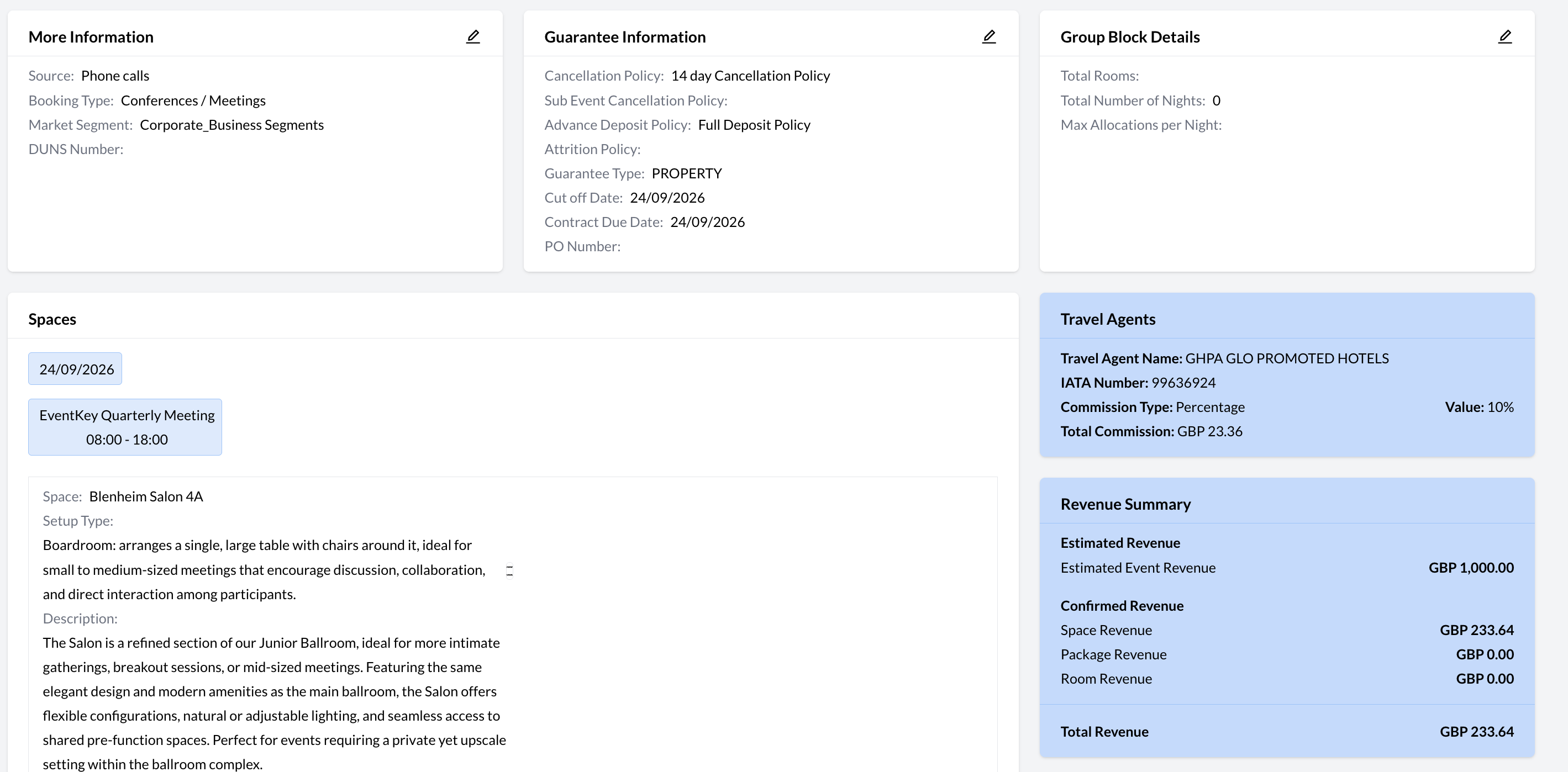
Once the event is confirmed, the event record (reservation) displays a Travel Agents section containing the Travel Agent Name, IATA Number, Commission Type, Value, and Total Commission Amount.
📷 VISUAL CALLOUT:
Travel Agent Details on Event Record (Reservation)