Target Roles: Event Managers, Sales Teams, General Managers, System Administrators
Last Updated:
Executive Overview
EventKey now enables direct access to enterprise reporting tools straight from the main EventKey Dashboard. By incorporating a dedicated EventKey Reports action item into the main Actions menu, users can launch the Dynamic Reports portal via an automated deep link. This streamlined workflow opens reporting tools in a new browser tab without forcing users to navigate back through the intermediate HotelKey Home screen or disrupting their active workspace.
Configuration Guide: Launching Reports from the Dashboard
System Navigation Path
Home > Event Management > Actions > EventKey Reports
Step
Action
Platform Guidance & Operational Details
Access Dashboard
Open the main Event Management dashboard.
Ensures you are on the primary operational calendar landing page.
Open Actions Menu
Click the Actions dropdown button in the upper-left controls header.
Displays the master list of quick-action operational utilities.
Select Reports
Click EventKey Reports near the bottom of the list (below House Inventory).
Triggers an automated direct deep link to the reporting engine.
Access Portal
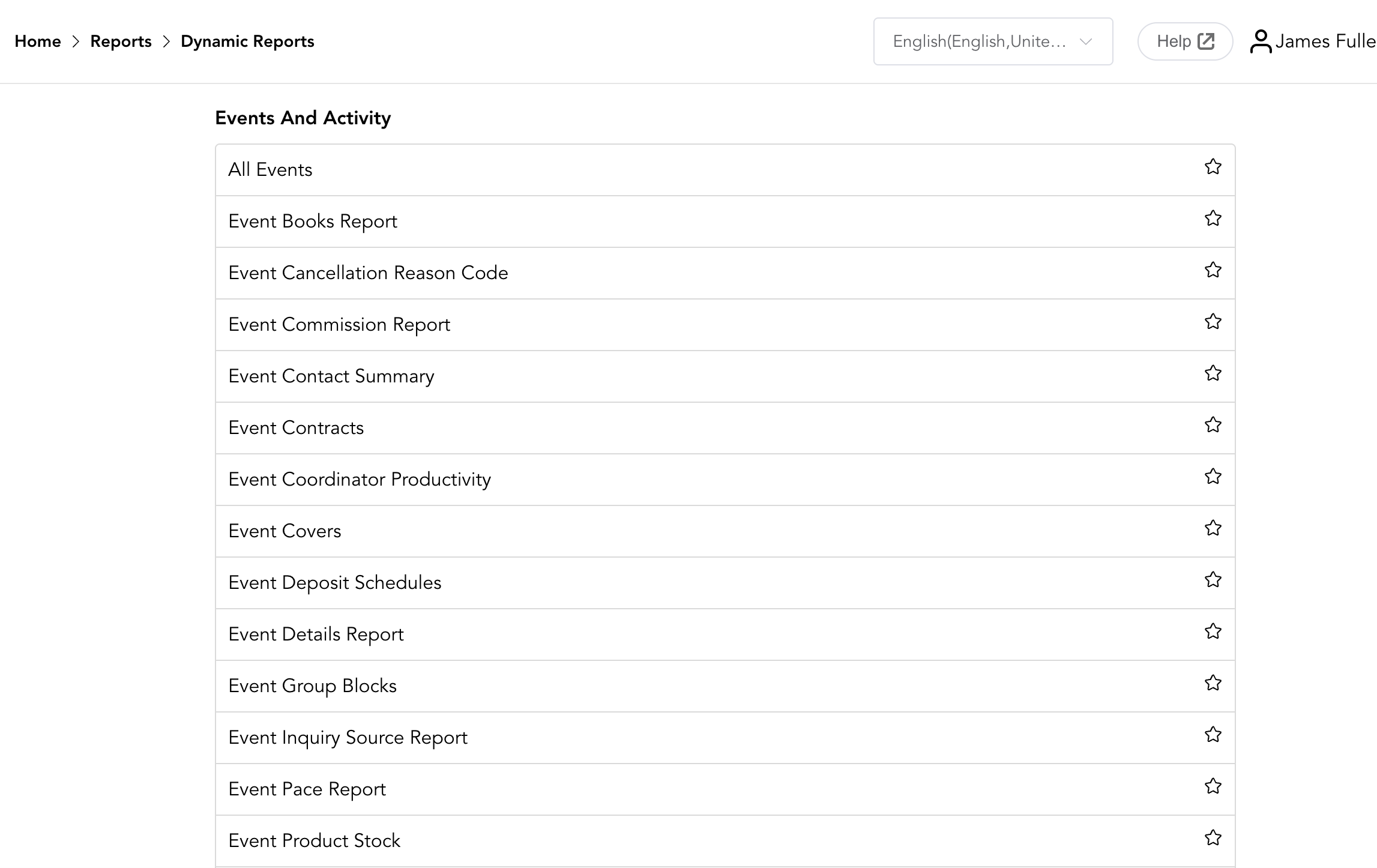
View the Dynamic Reports portal in the newly opened browser tab.
Loads the full suite of sales, catering, and event activity reports without closing your active EventKey Dashboard session.
📷 VISUAL CALLOUT:
EventKey Reports Access Walkthrough
UI Visibility & Available EventKey Reports
Once directed to the Dynamic Reports page, users can filter, run, and export comprehensive sales and operational reports under the Events and Activity catalog section. For a full list of EventKey Reports visit EventKey Sales & Catering Reports.