
📆 Revision Date:
Follow the steps below to create a reservation within a Group Block during the booking flow.
|
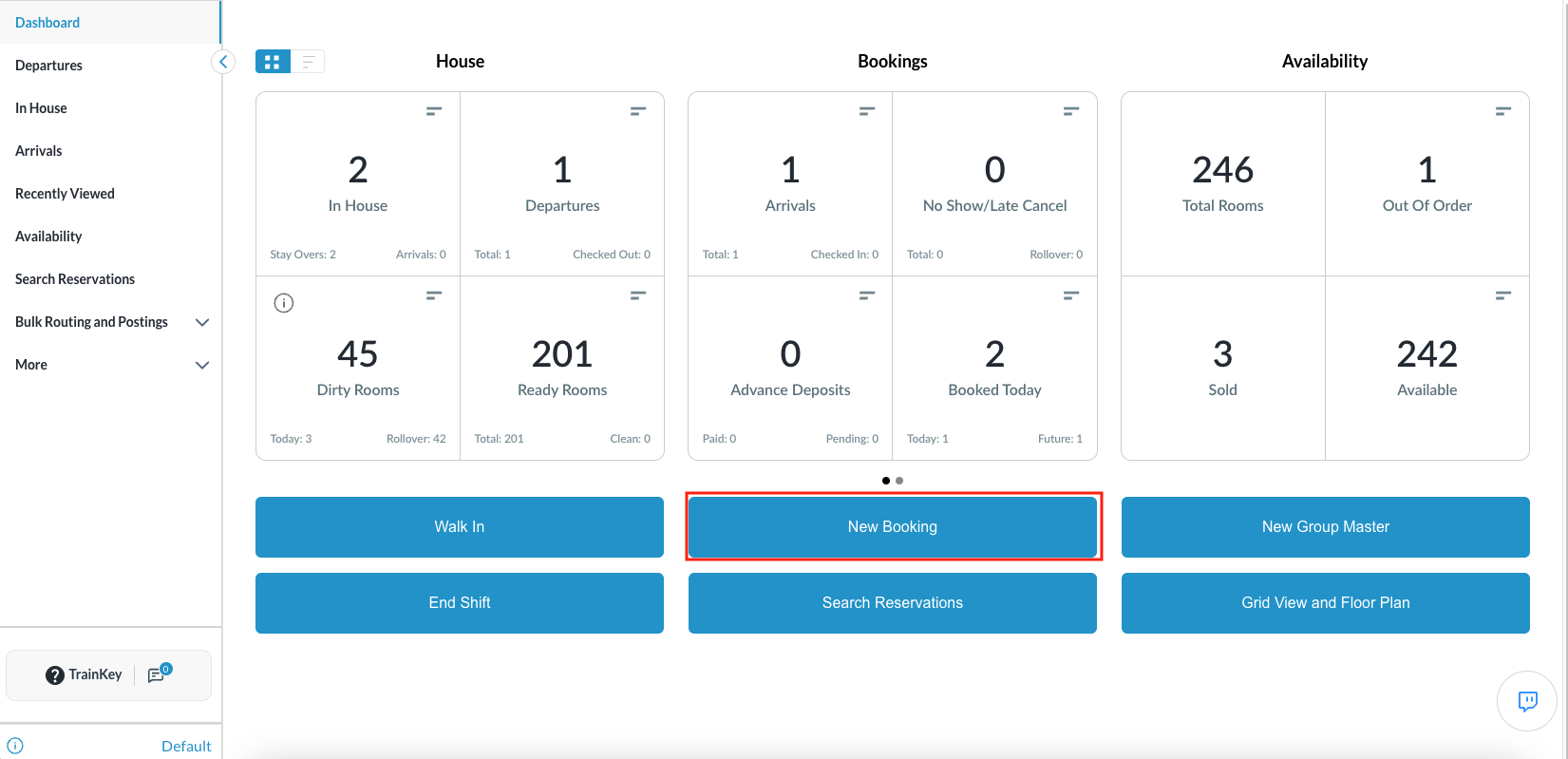
Select New Booking on the Dashboard. |
|
|
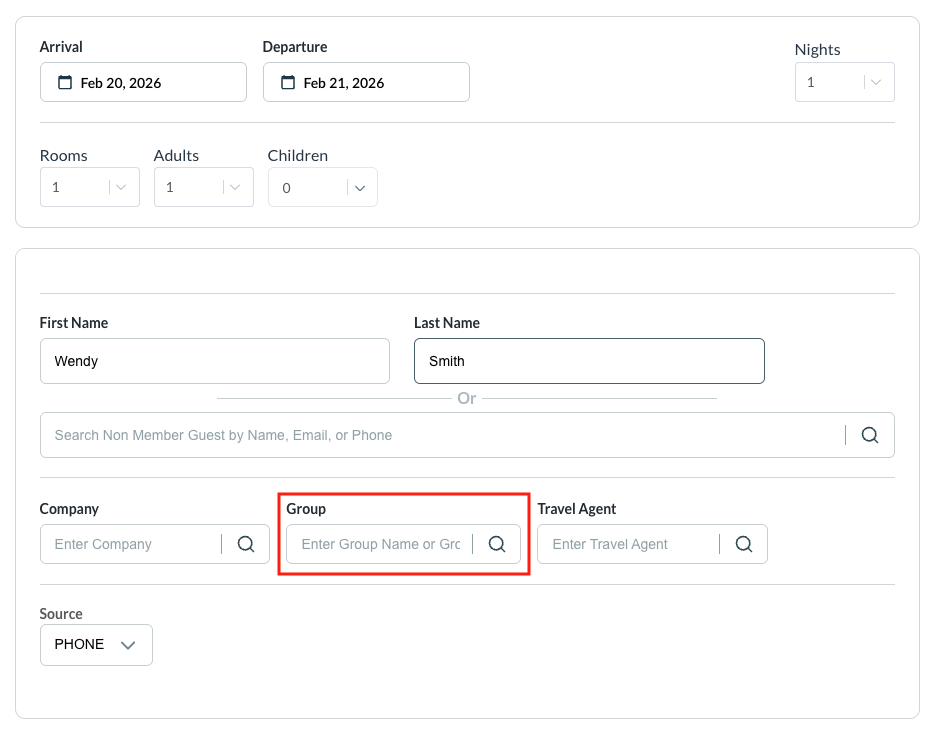
Search for the Group
|
|
|
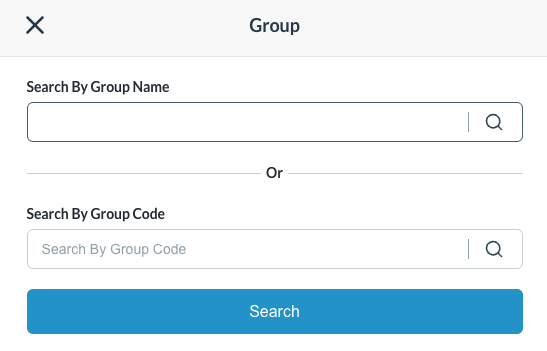
The Group Search popup screen loads.
|
|
|
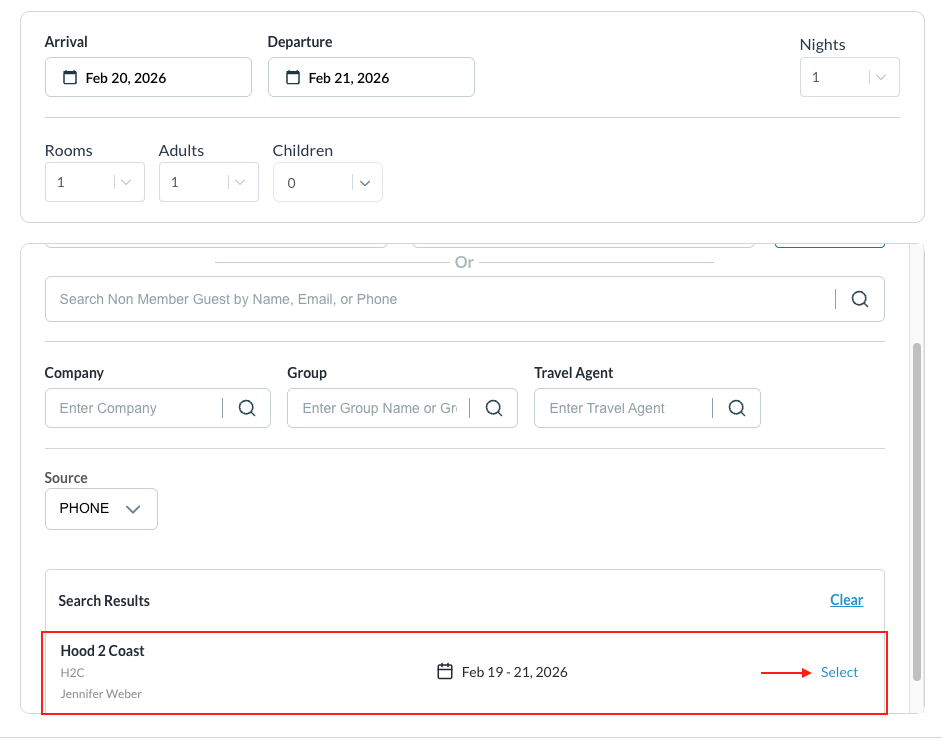
Select the group from the results rendered.
Continue the booking |
|
|
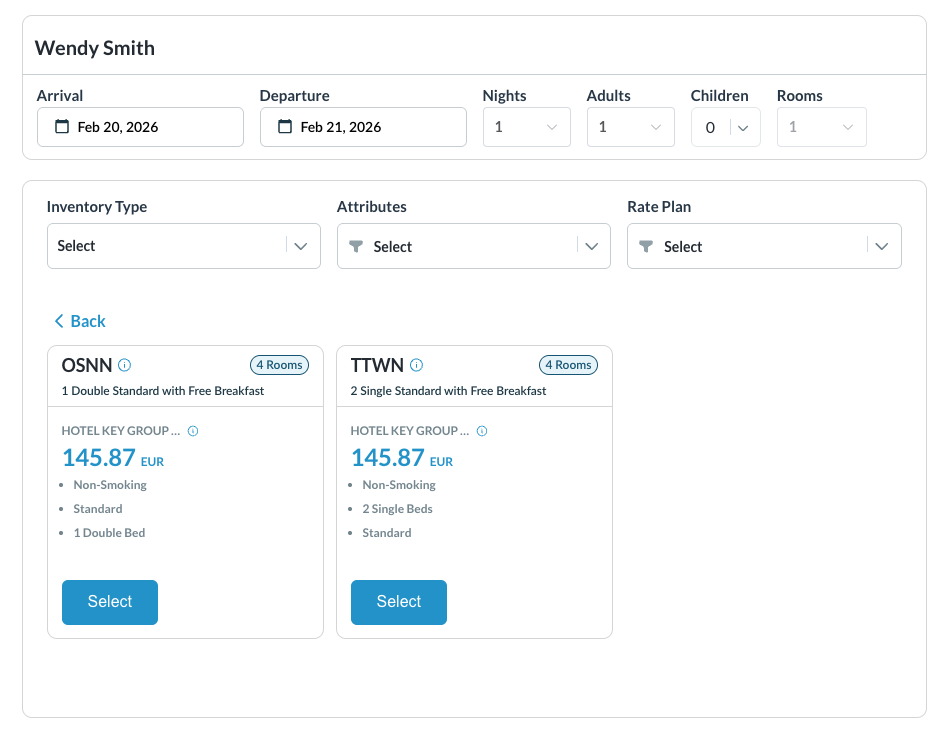
Select the available Room Type for the Group Rate Plan |
|
|
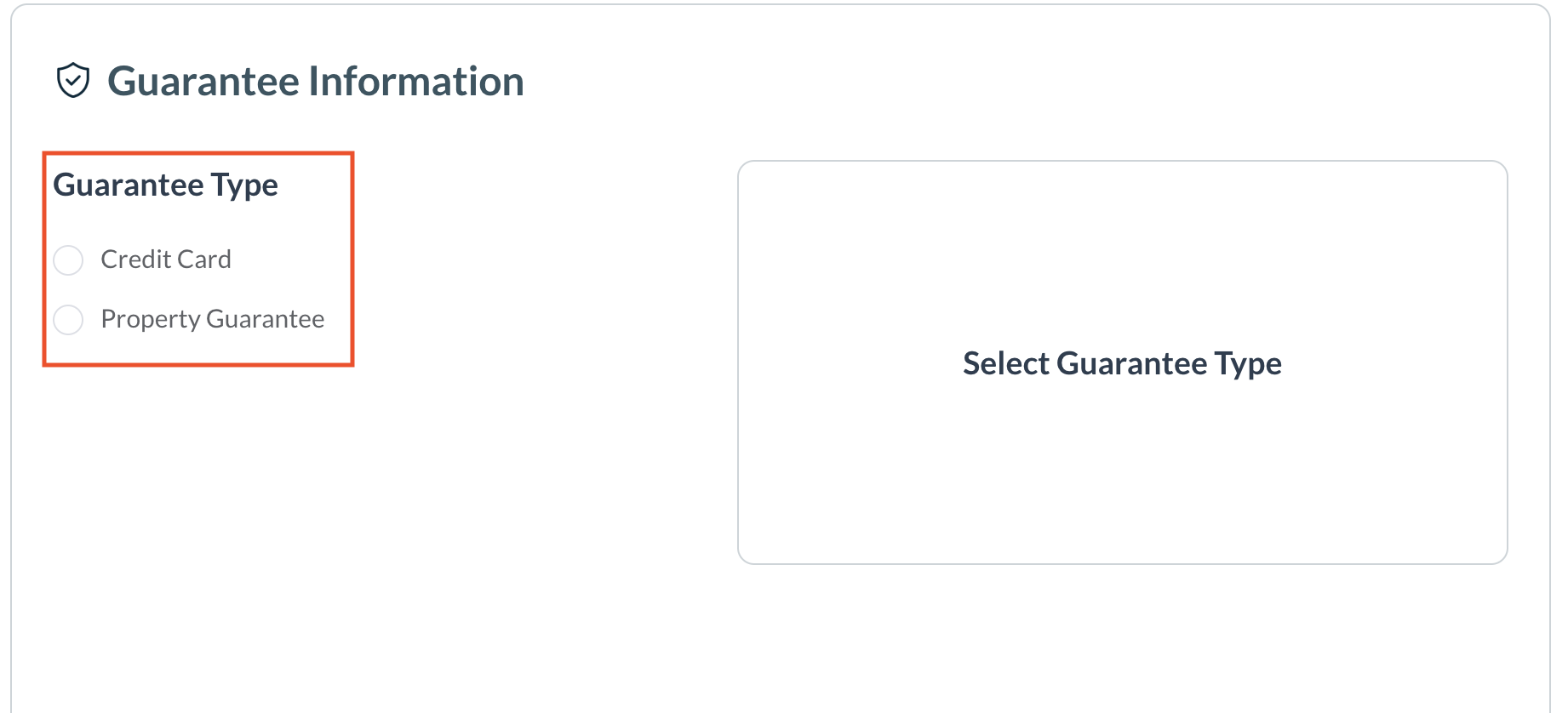
Select Guarantee Type |
|
|
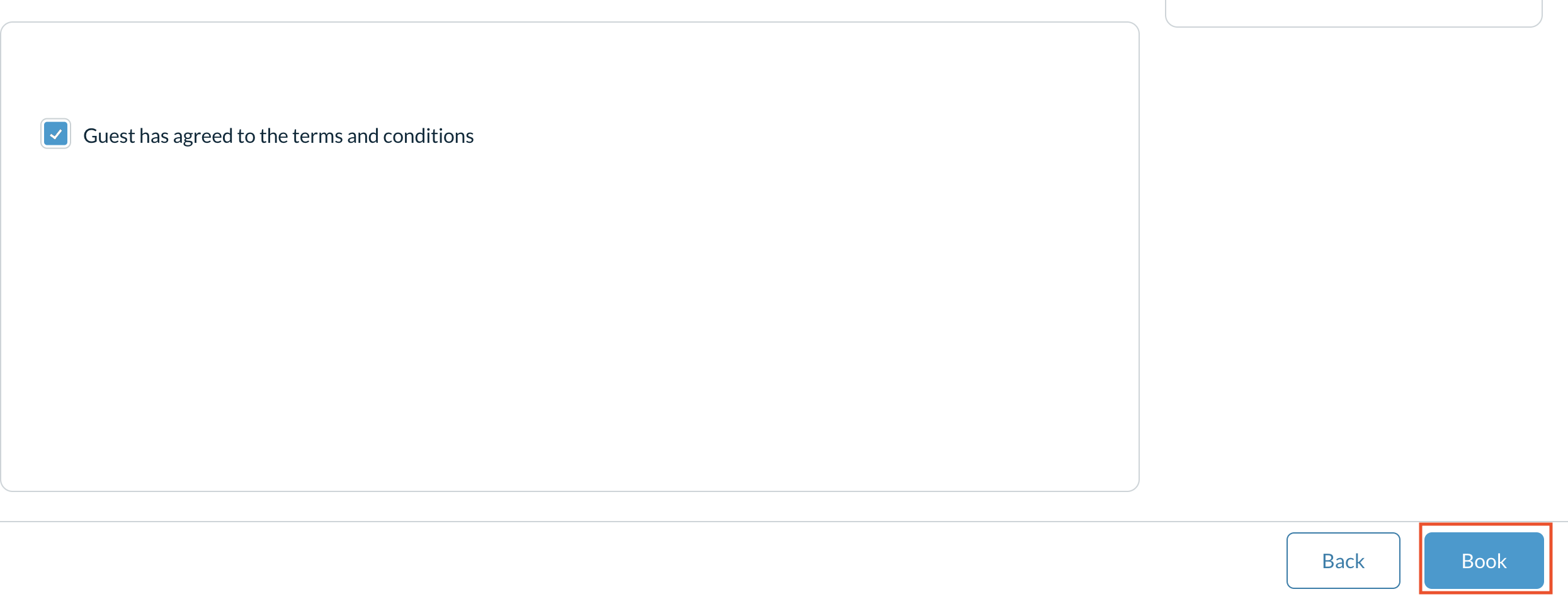
Select Book to complete the reservation |
|