
Revision Date:
To provide users with a prompt during early check-out, allowing them to decide whether to charge the current day’s room rent or apply alternative fee options.
When a guest checks out earlier than the original departure date, the system triggers a prompt for the user. This prompt will present configurable options to handle charges for the current day and early departure fees.
-
Applies only to multi-night reservations where the departure date is reduced to the Current Business Date (CBD).
-
Reservation must be in Check-In status.
-
Prompt appears when the guest initiates early check-out.
|
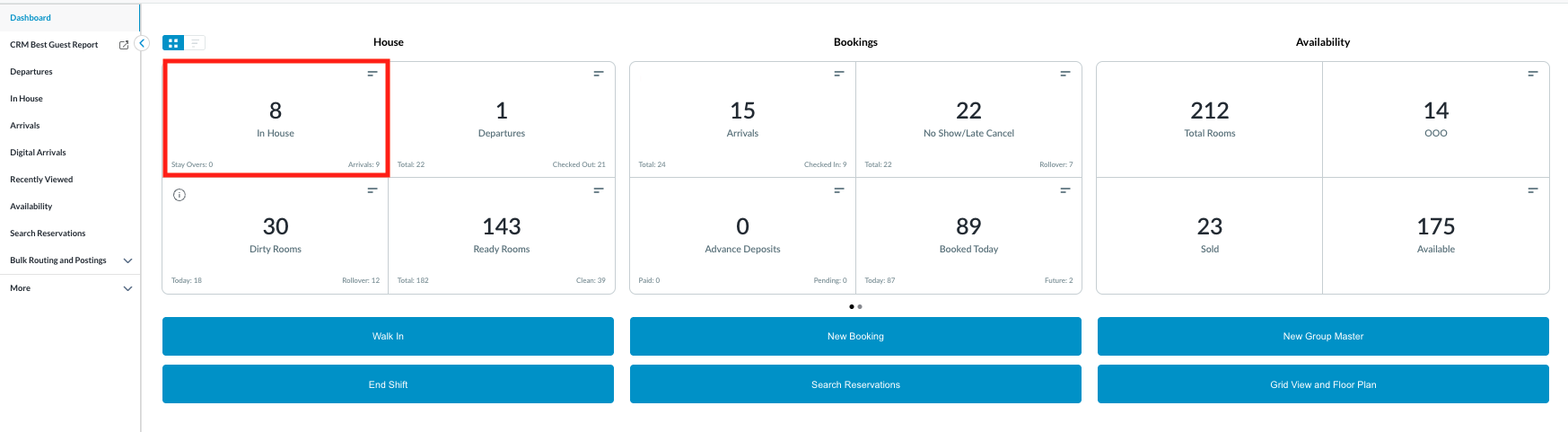
Navigate to Front Desk from the dashboard. Click on In-House Reservations. |
|
|
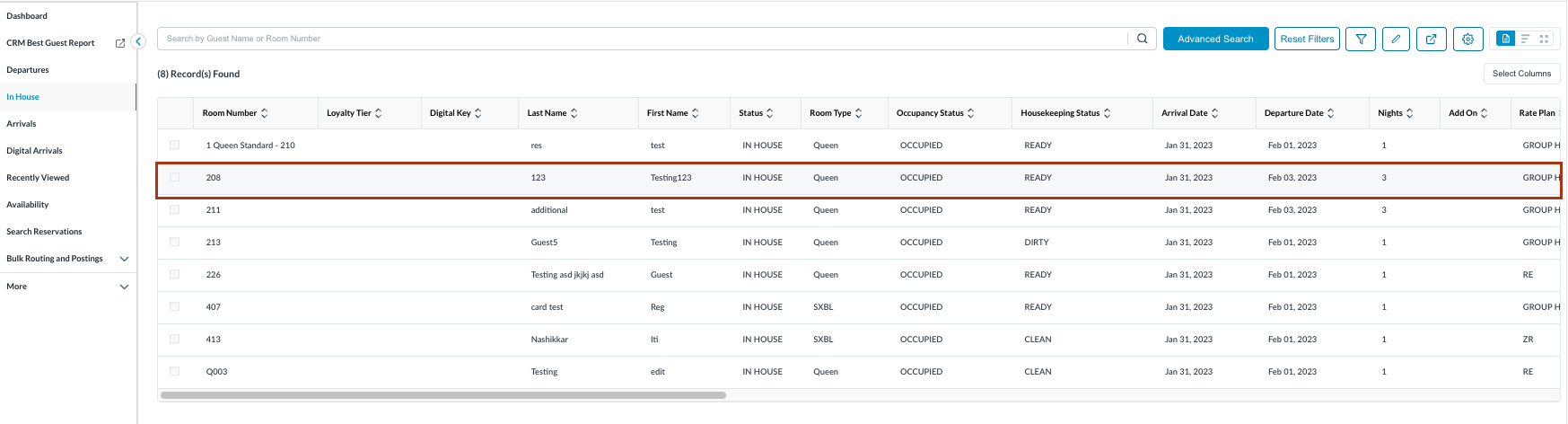
The In House reservations list will open.
|
|
|
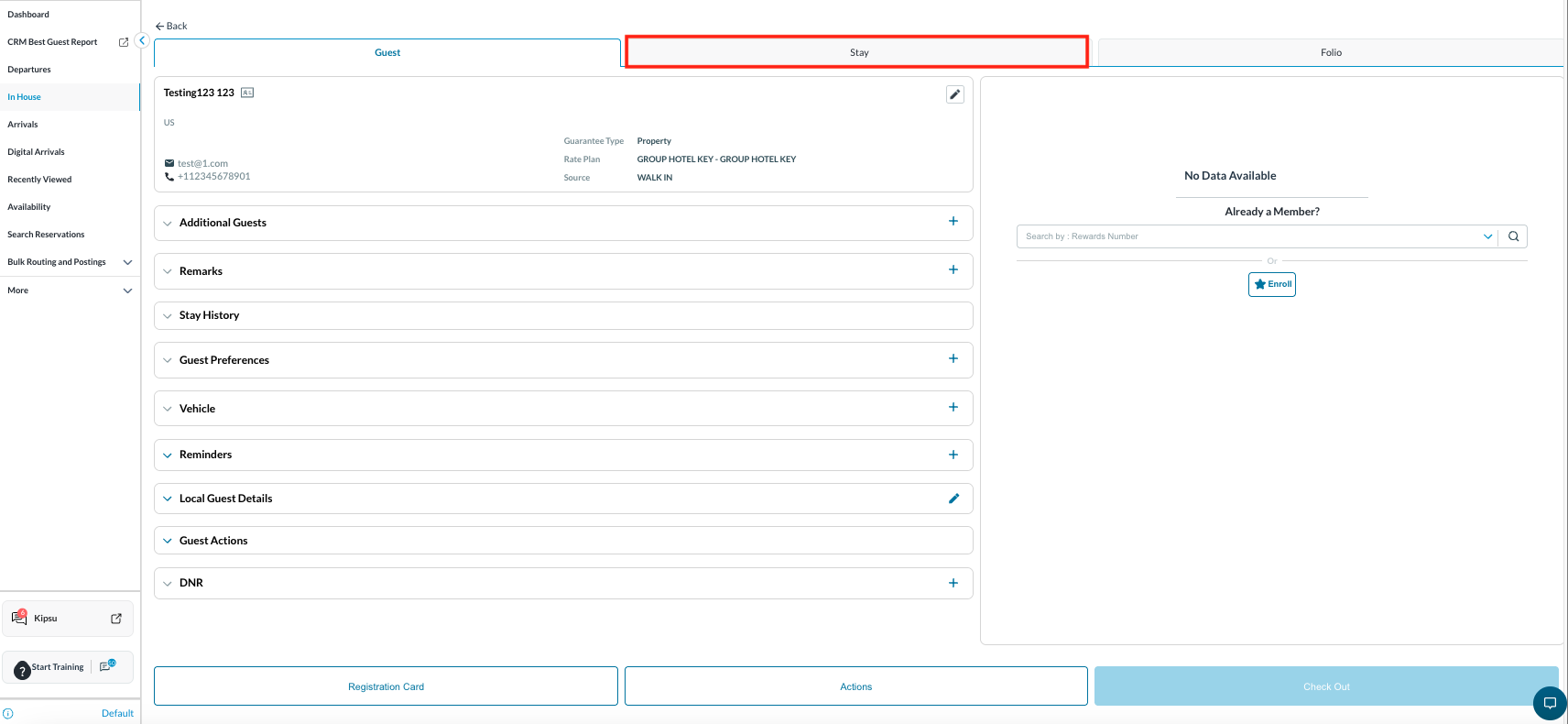
The Guest tab will open by default. Switch to the Stay tab to update the check-out date. |
|
|
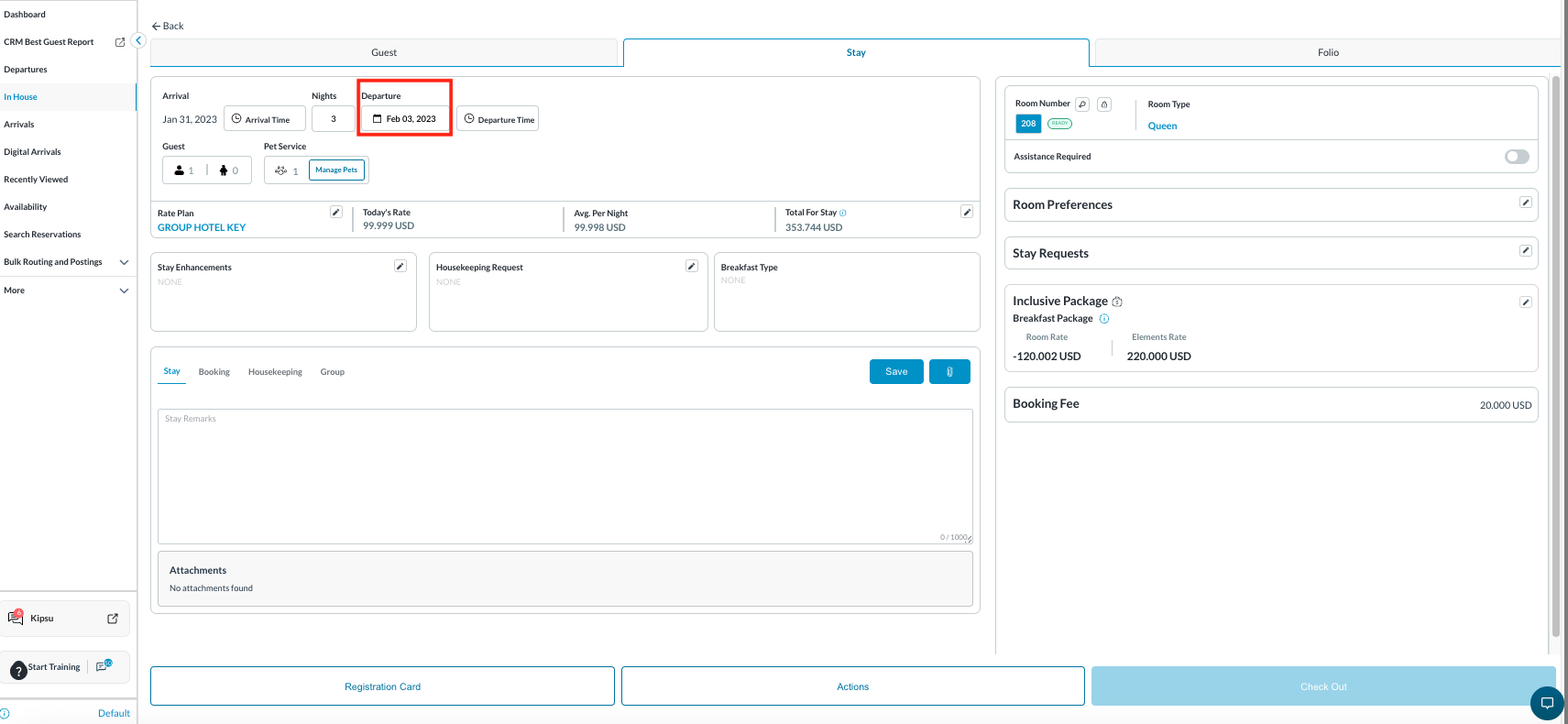
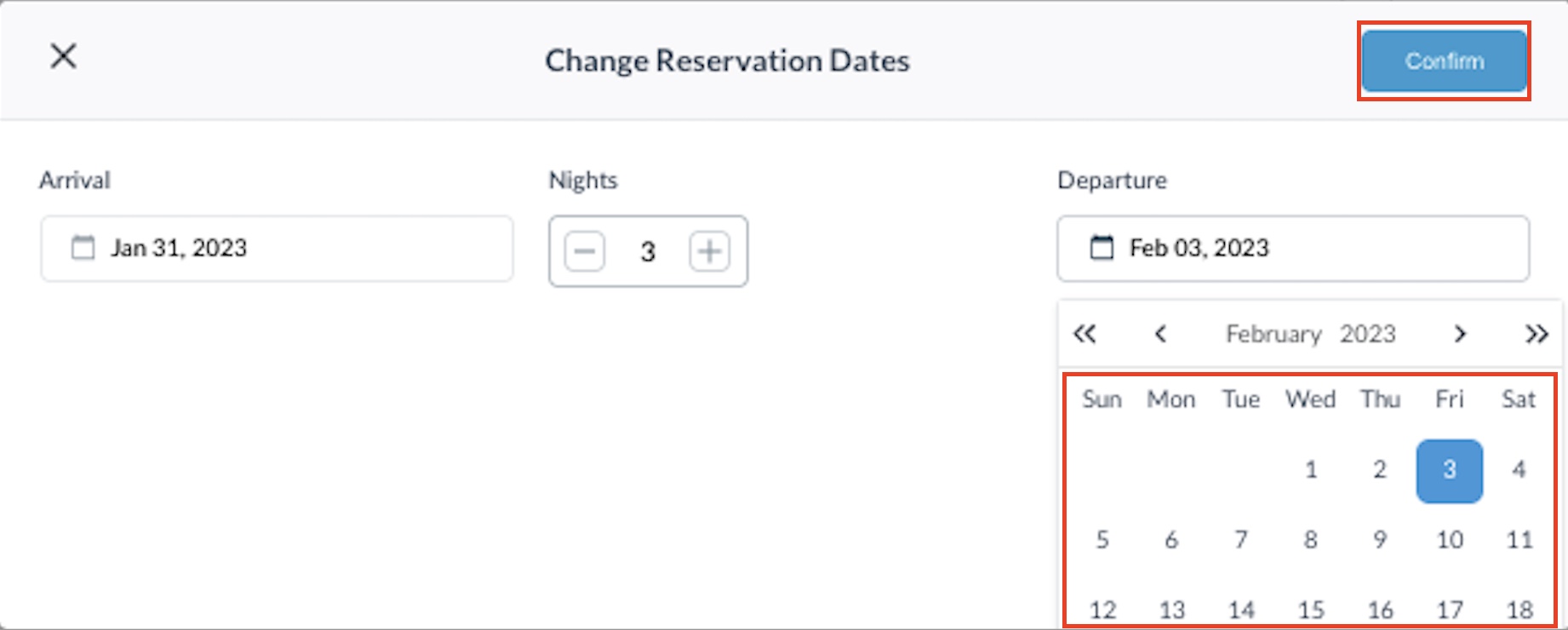
Click on the Check-Out Date field. |
|
|
Change the date and click Confirm. |
|
|
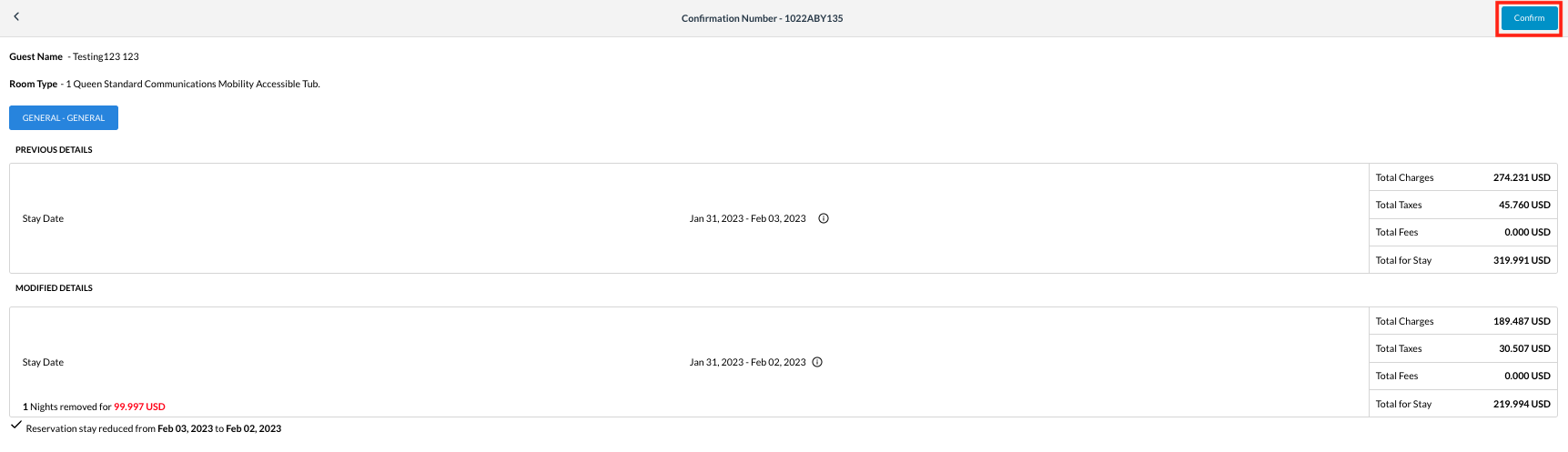
Re-confirm the change by clicking Confirm again. |
|
|
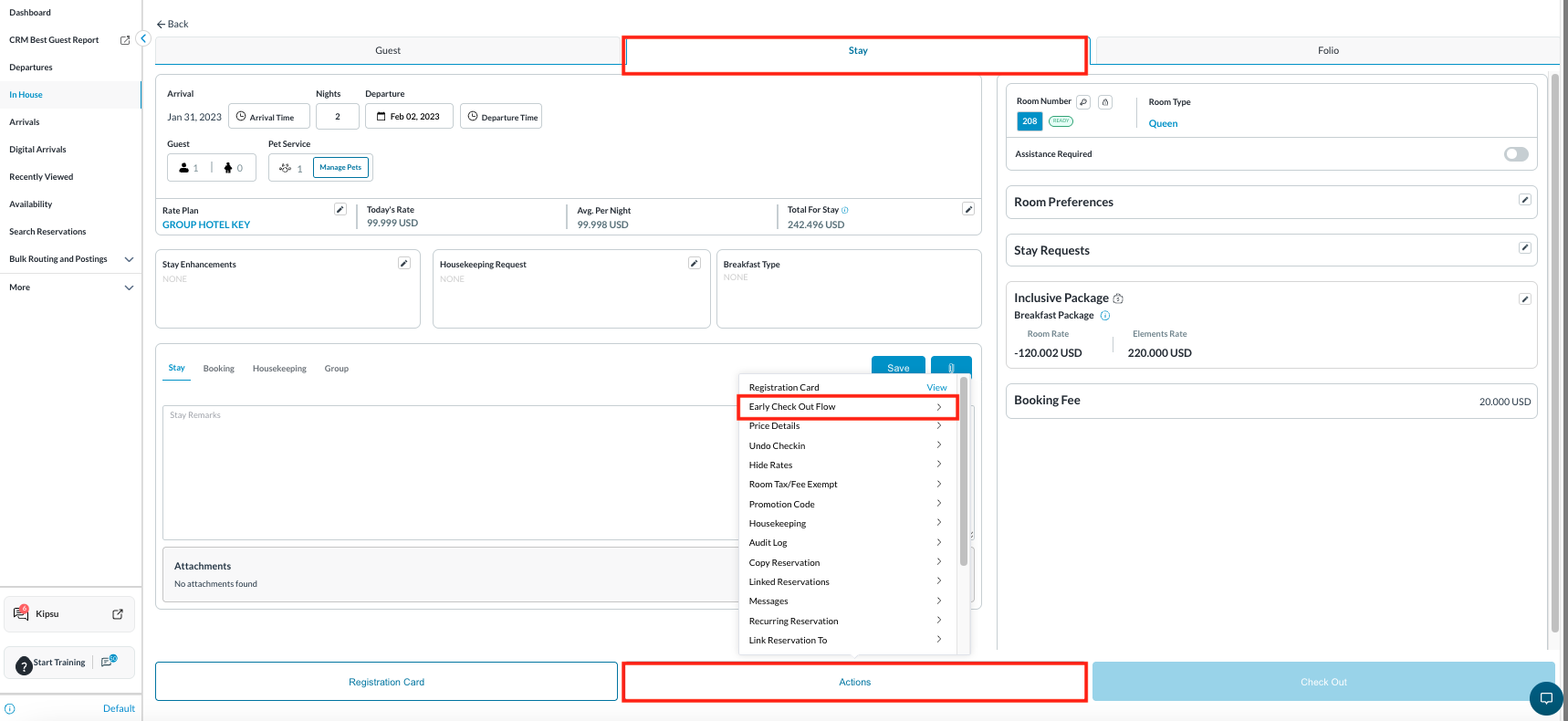
Return to the Stay tab.
|
|
|
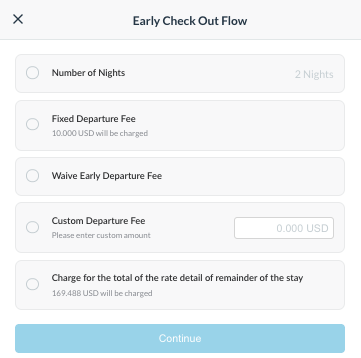
The Early Check-Out Flow window will appear. Choose the relevant option. Once selected, the Continue button will activate.
Click Continue to proceed. |
|
|
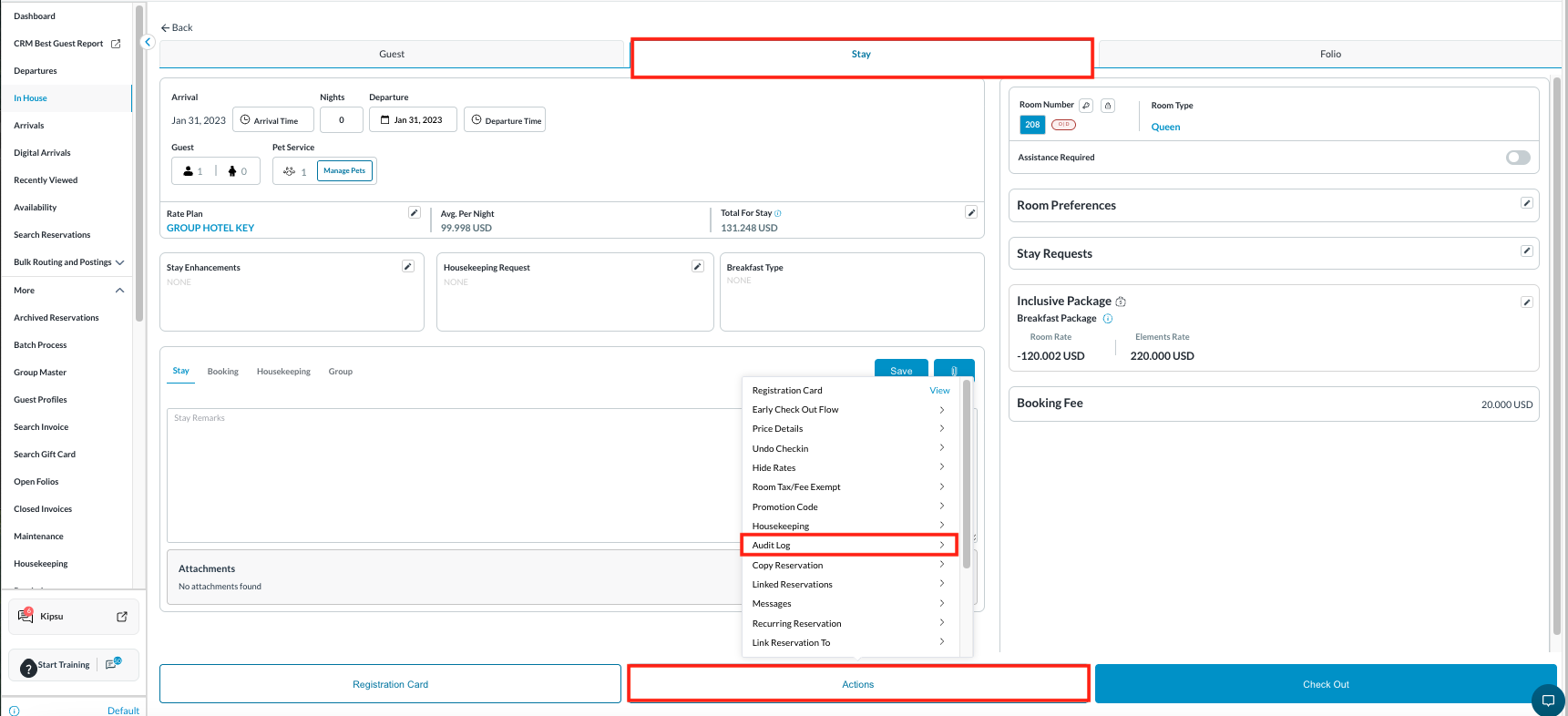
To Check Logs
Click on Audit Log.
|
|
|
The date change, along with remarks, will be recorded as an entry. |

|