
Revision Date:
Users can immediately flag a vacated room for maintenance while performing a Room Move for an in-house guest. By embedding Out of Order (OOO) and Out of Service (OOS) options directly into the Room Move workflow, users can reduce follow-up steps, ensure operational accuracy, and seamlessly create associated maintenance issues without leaving the flow.
The functionality ensures consistency in data capture (Reason, Assignee, Remarks) and accurate room status updates in the PMS.
|
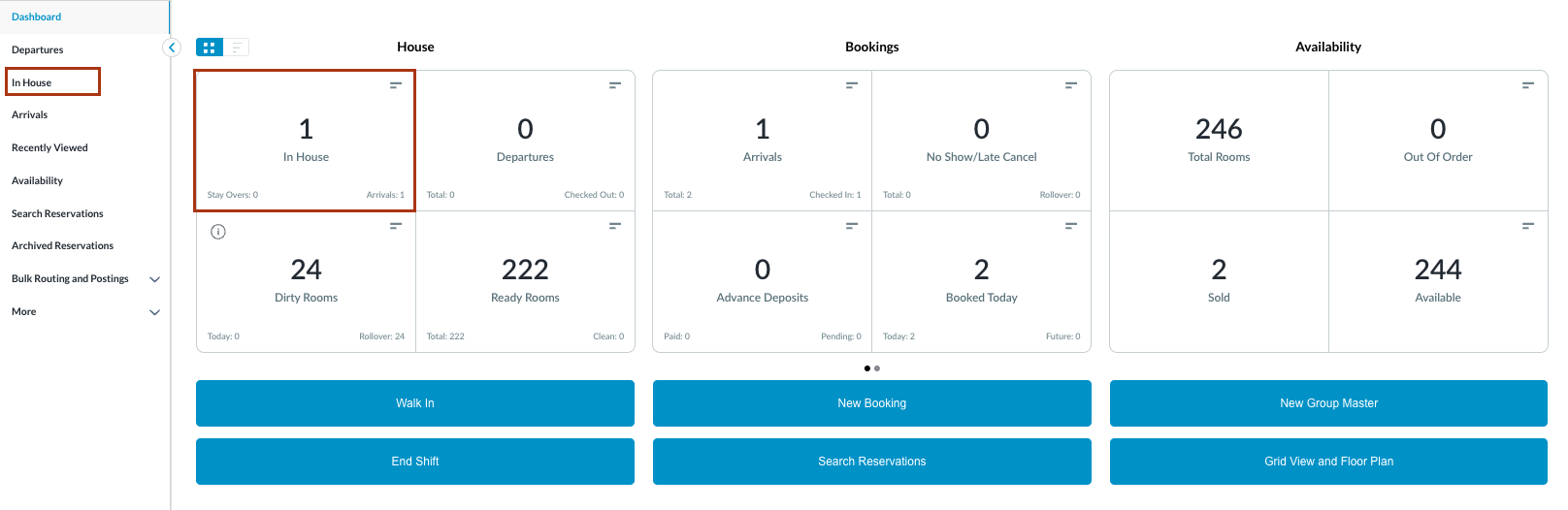
Navigate to In-House Reservations |
|
|
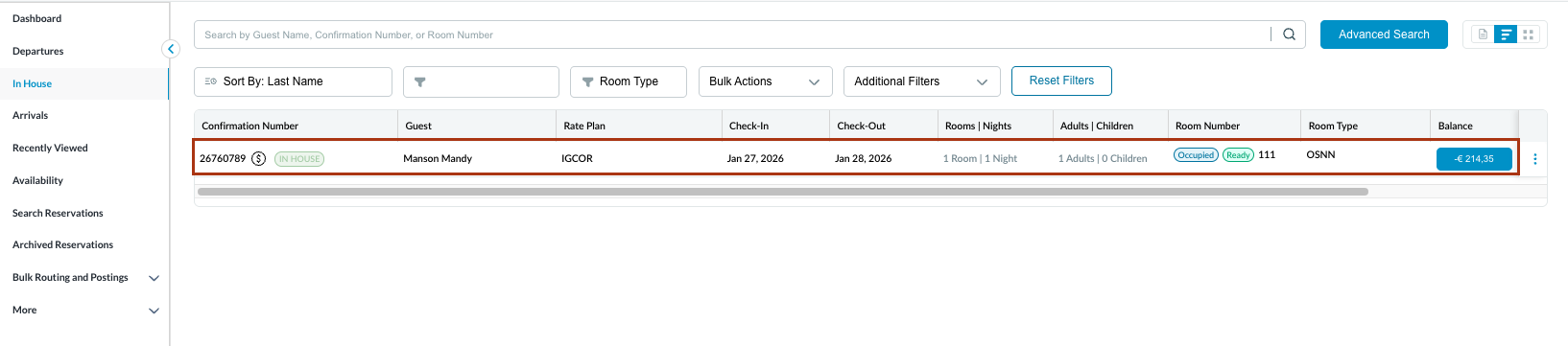
The In-House Reservation List is displayed Select the desired reservation |
|
|
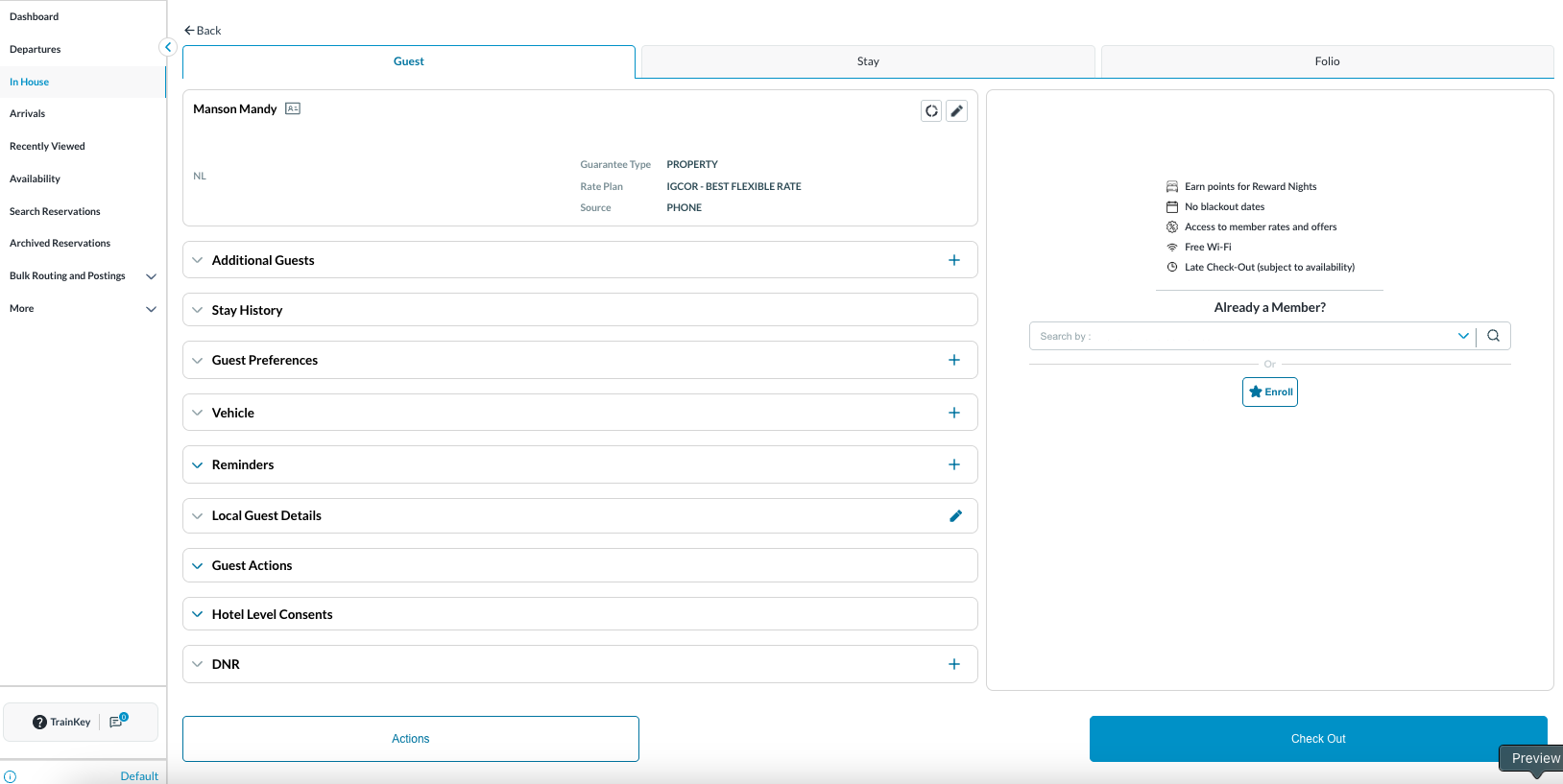
Reservation opens with Guest tab displayed by default |
|
|
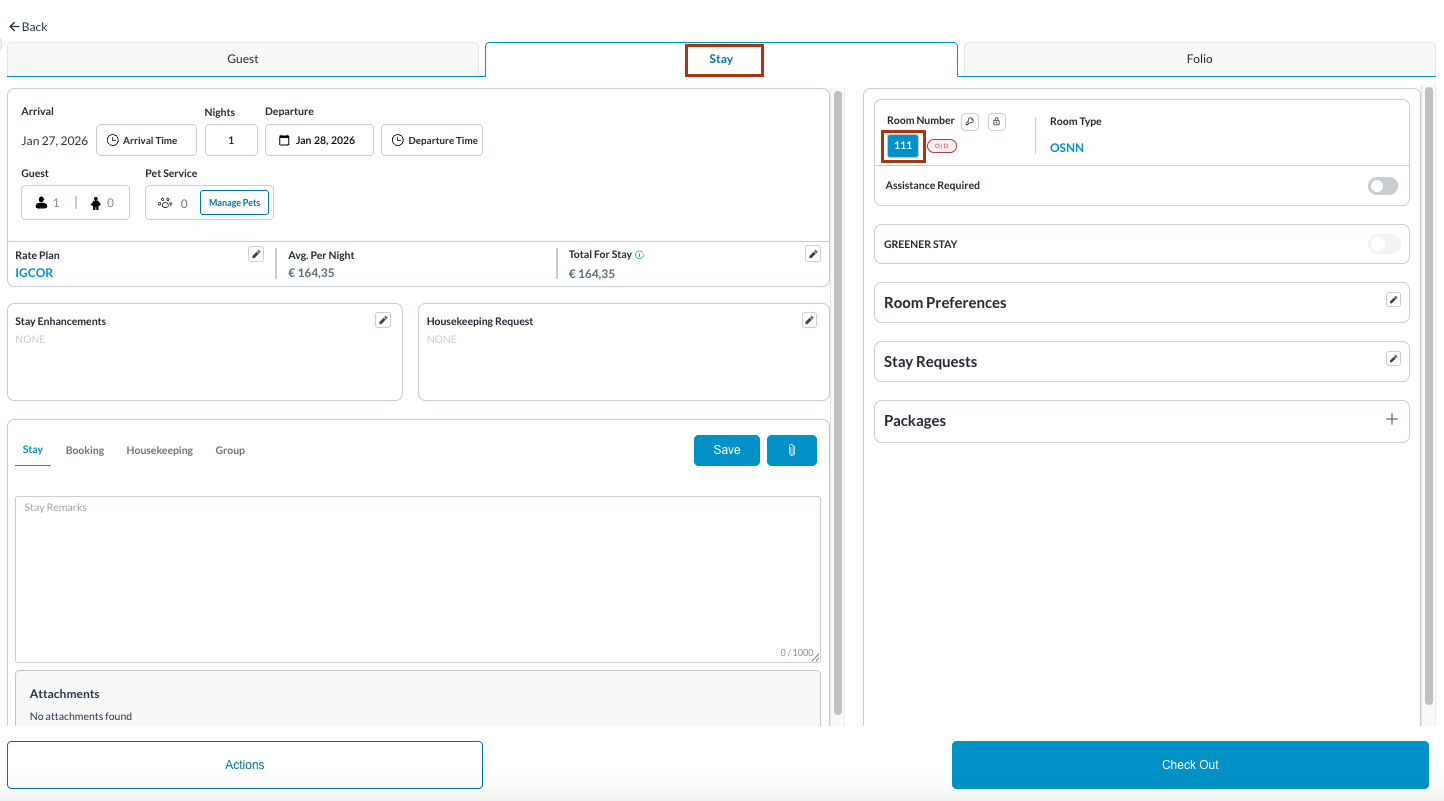
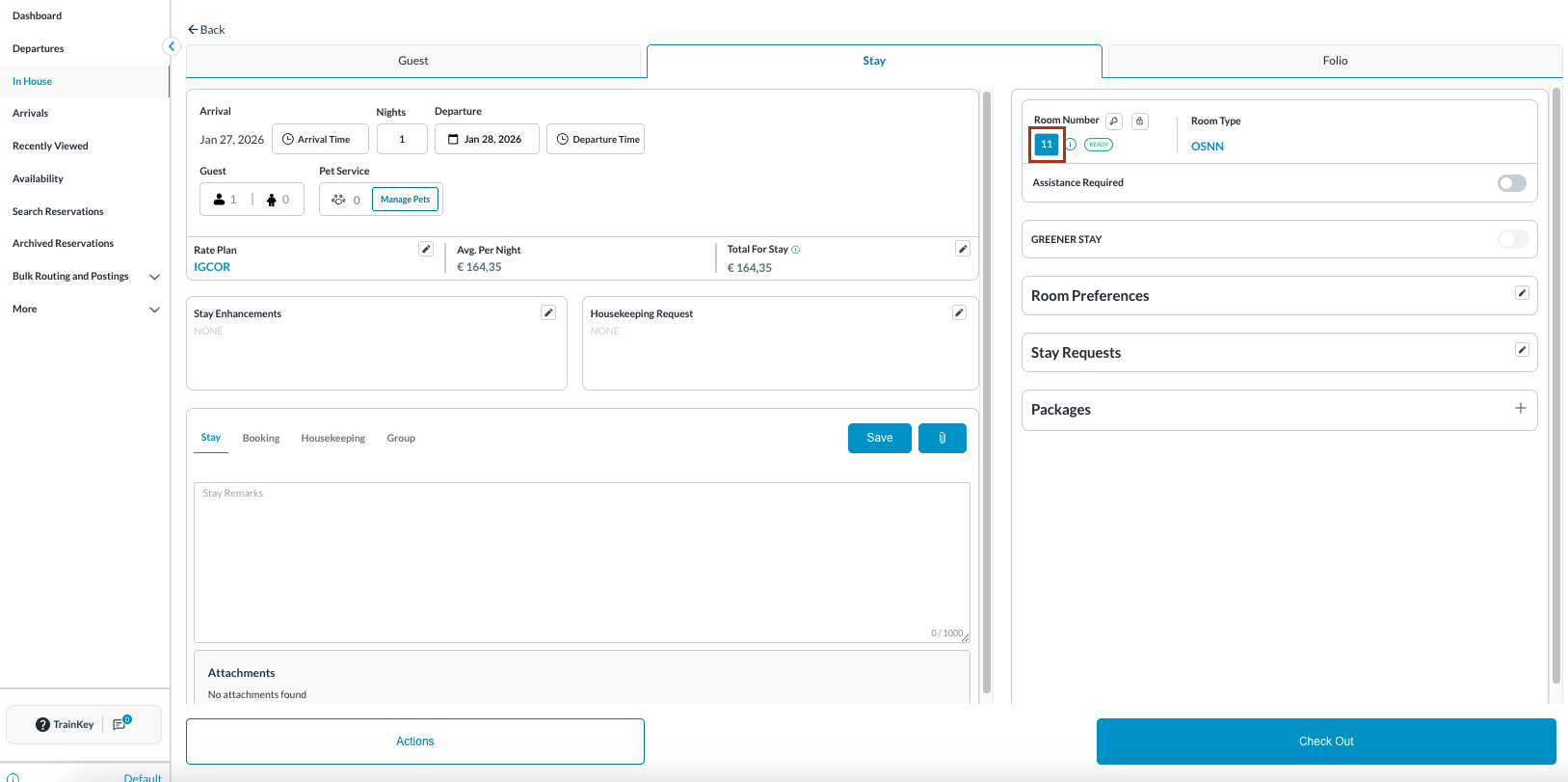
Navigate to the Stay tab. Click on the Room Number. |
|
|
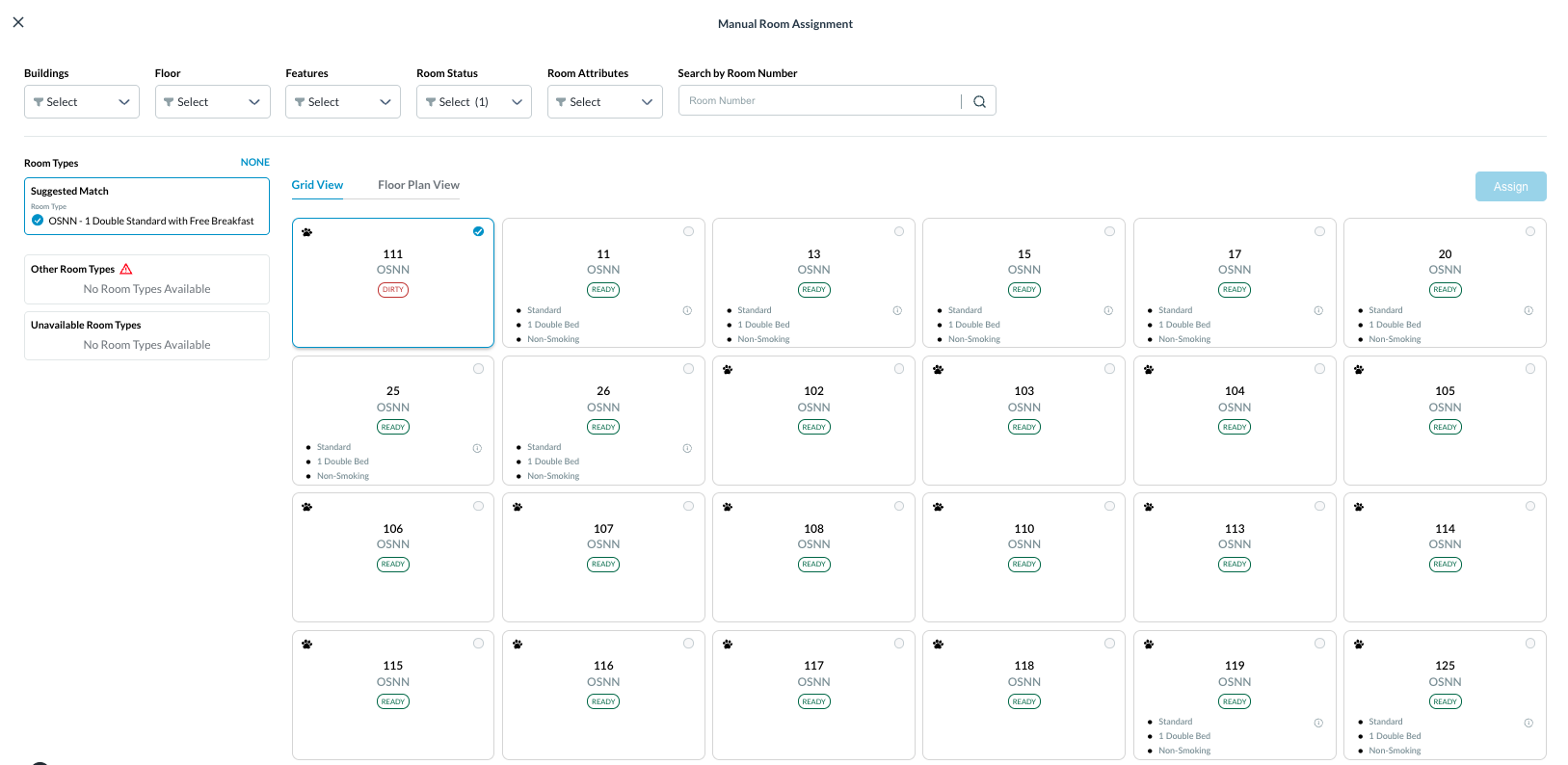
Manual Room Assignment screen opens Select a new room to move the guest into |
|
|
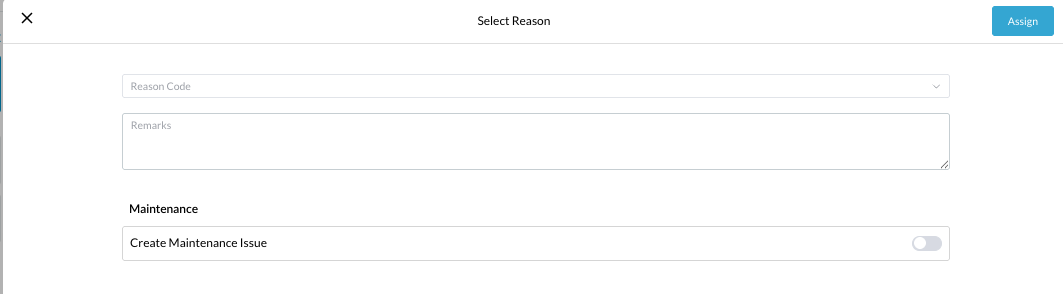
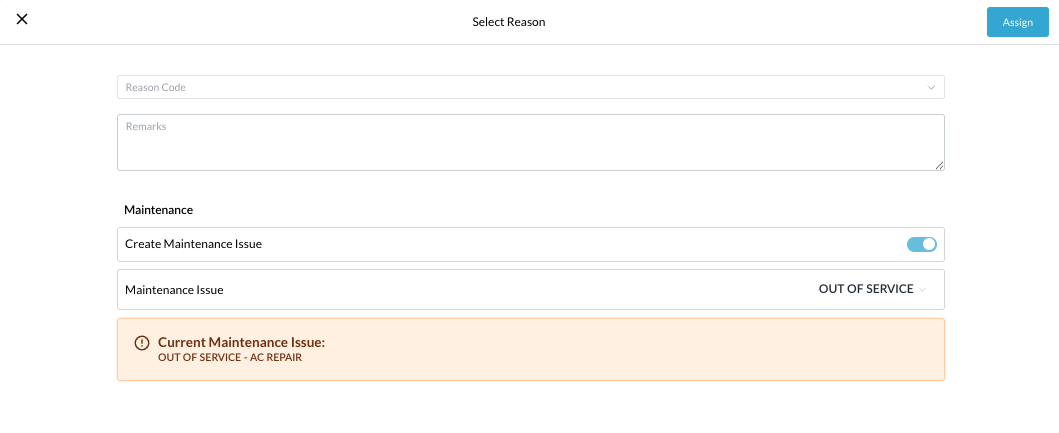
The Select Reason window opens A toggle labeled “Create Maintenance Issue” is displayed Default state: OFF |
|
|
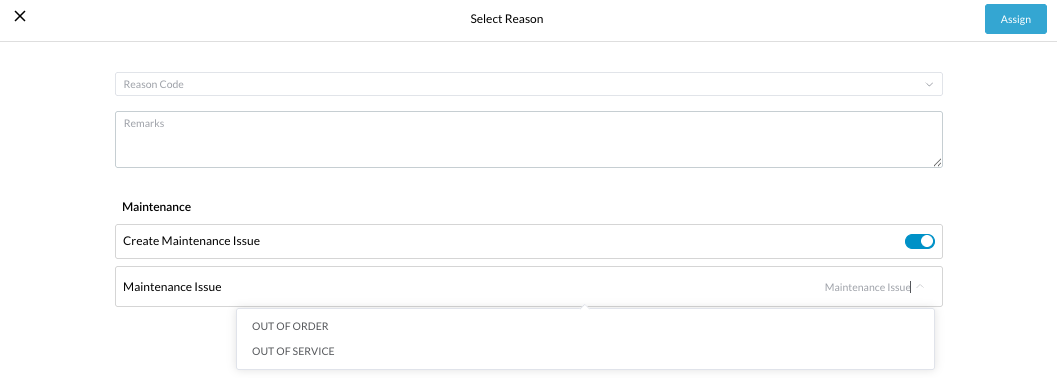
If the user turns the Create Maintenance Issue toggle ON:
|
|
|
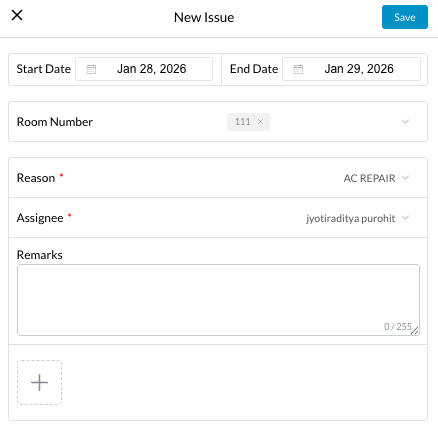
On selecting a maintenance type:
User must enter:
Click Save |
|
|
Select Reason window opens after saving the maintenance type:
The created maintenance issue details are displayed at the bottom of the Room Move Reason popup Click Assign to complete the Room Move. |
|
|
System performs the following actions automatically:
|
|