
Revision Date:
The Day Use feature allows hotels to sell a room for a designated number of hours during the day without an overnight stay.
The primary goal is to maximize property revenue by enabling a single physical room to be sold twice in one day (once for a day guest, and once for an overnight guest). Crucially, booking a Day Use reservation does not decrement your standard overnight room inventory, ensuring your nightly availability remains accurate.
To accommodate Day Use stays without breaking standard hotel accounting and inventory rules, the following note applies:
-
Financial Metrics: Day Use revenue is fully recognized as Room Revenue. These stays are counted as "Rooms Sold," meaning they positively impact both your Occupancy % and ADR on the Property Dashboard.
-
Housekeeping Automation: When a Day Use guest checks in, the room status instantly drops from "Ready" to "Dirty," and a specific "Day Use Checkout" service type is applied to alert the Housekeeping team that the room must be turned over for an evening arrival.
|
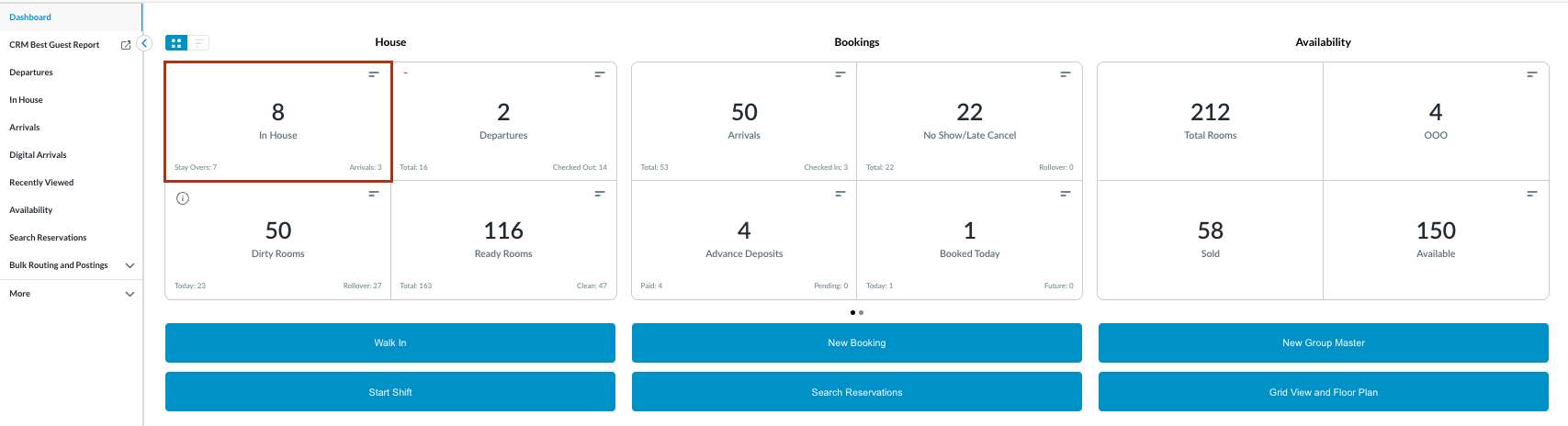
Navigate to Frontdesk Dashboard and locate In House reservations. |
|
|
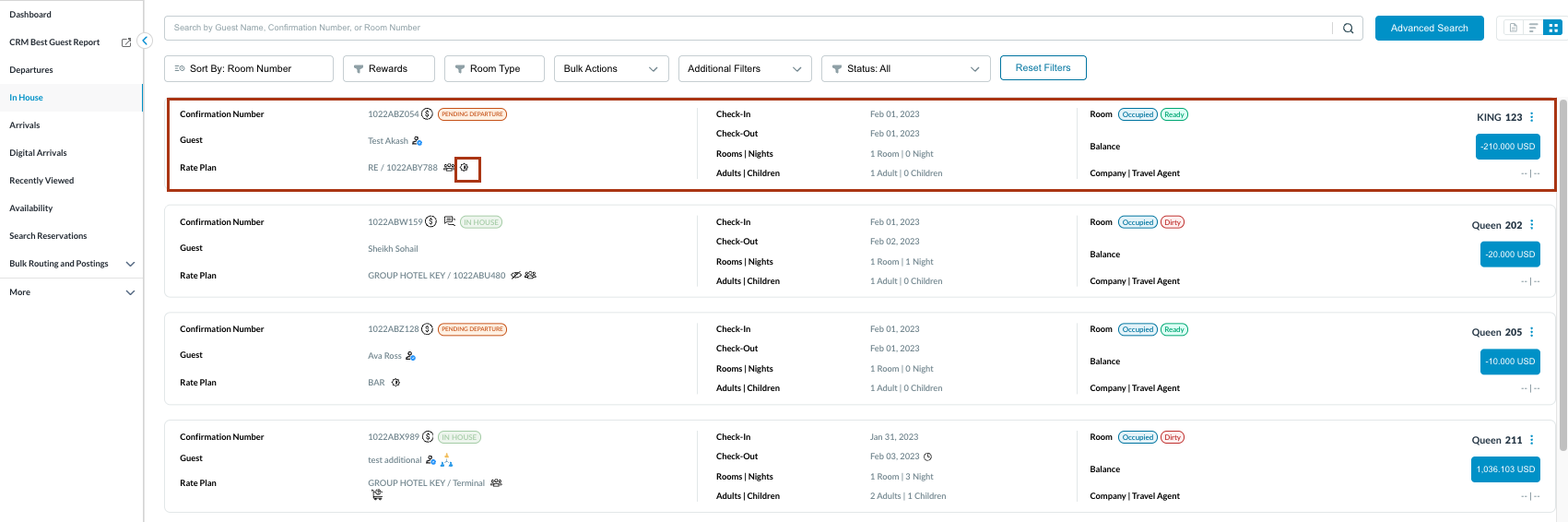
The In-House reservation list will open. Look for the Day Use Icon displayed directly next to the Rate Plan code. |
|
|
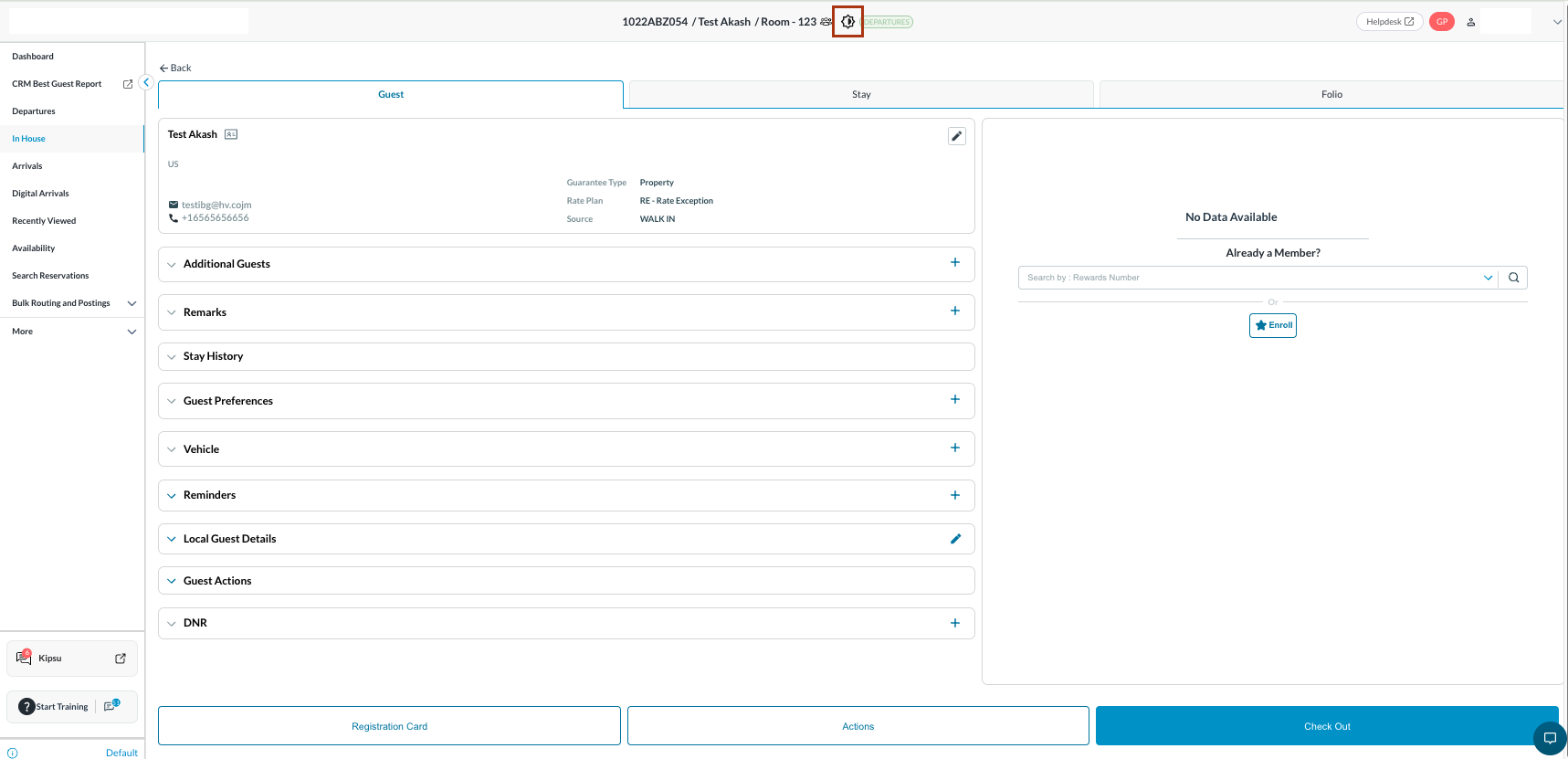
Open the reservation profile. Verify the Day Use Icon is visible in the header, right next to the Guest Name and before the Reservation Status. |
|
|
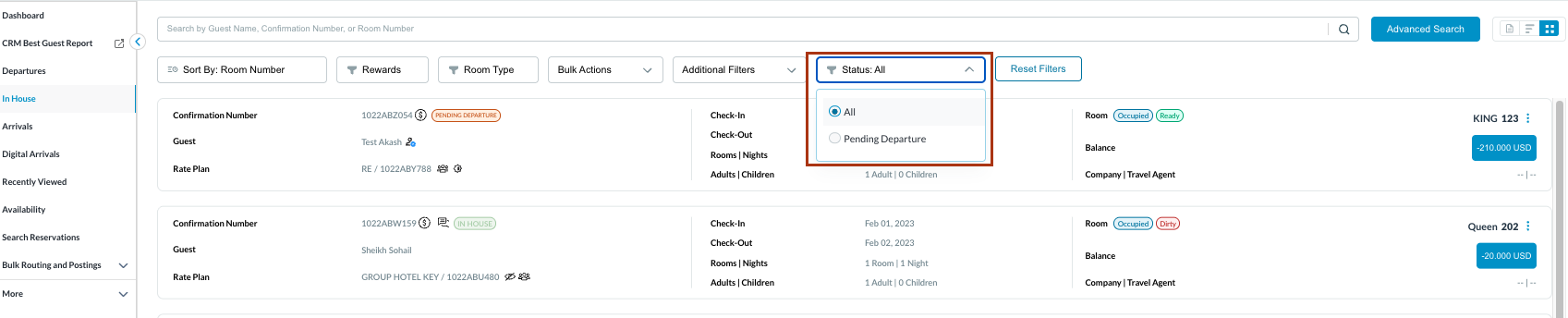
Managing the Mid-Day Shift Turn on the Pending Departure filter. Use this view to monitor which Day Use guests are currently in the room but need to check out before your evening arrivals show up. |
|
Modifying an Overnight Stay (If the guest extends)
Change the Departure Date to tomorrow (or a future date). Save the changes. System Action: The system will instantly remove the Day Use Icon from the header and listing screens, and standard overnight inventory rules will now apply. |
|
Daily Review & Reporting (Night Audit/Management)
Property Dashboard: Review the daily metrics. The Occupancy % and ADR will automatically include the Day Use rooms sold. User can also view a dedicated breakdown of Day Use reservations by room type. Generate Reports: Run your Reservations Report, Revenue Report, or Downtime Reports.
|
|
|
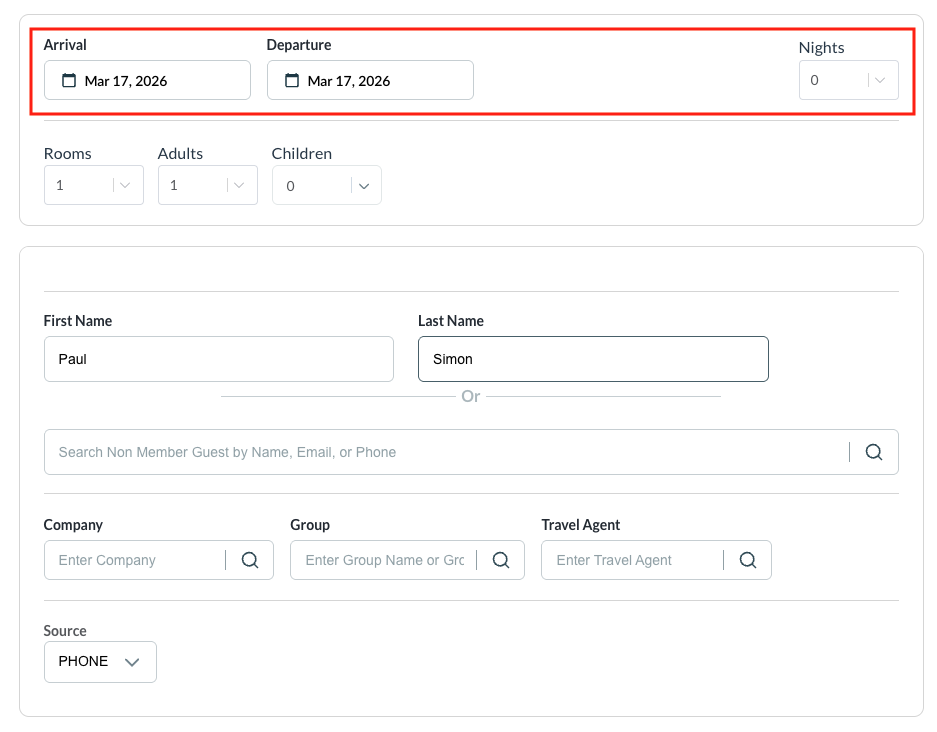
To create a New Day Use Reservation - create a standard reservation Modify the following:
Follow the normal process of creating a booking to the end. |
|
|
NOTE System Action (Housekeeping): The assigned room's status will automatically flip from Ready to Dirty, and a "Day Use Checkout" service type is applied for the housekeeping queue. |
|