
Revision Date:
Overview
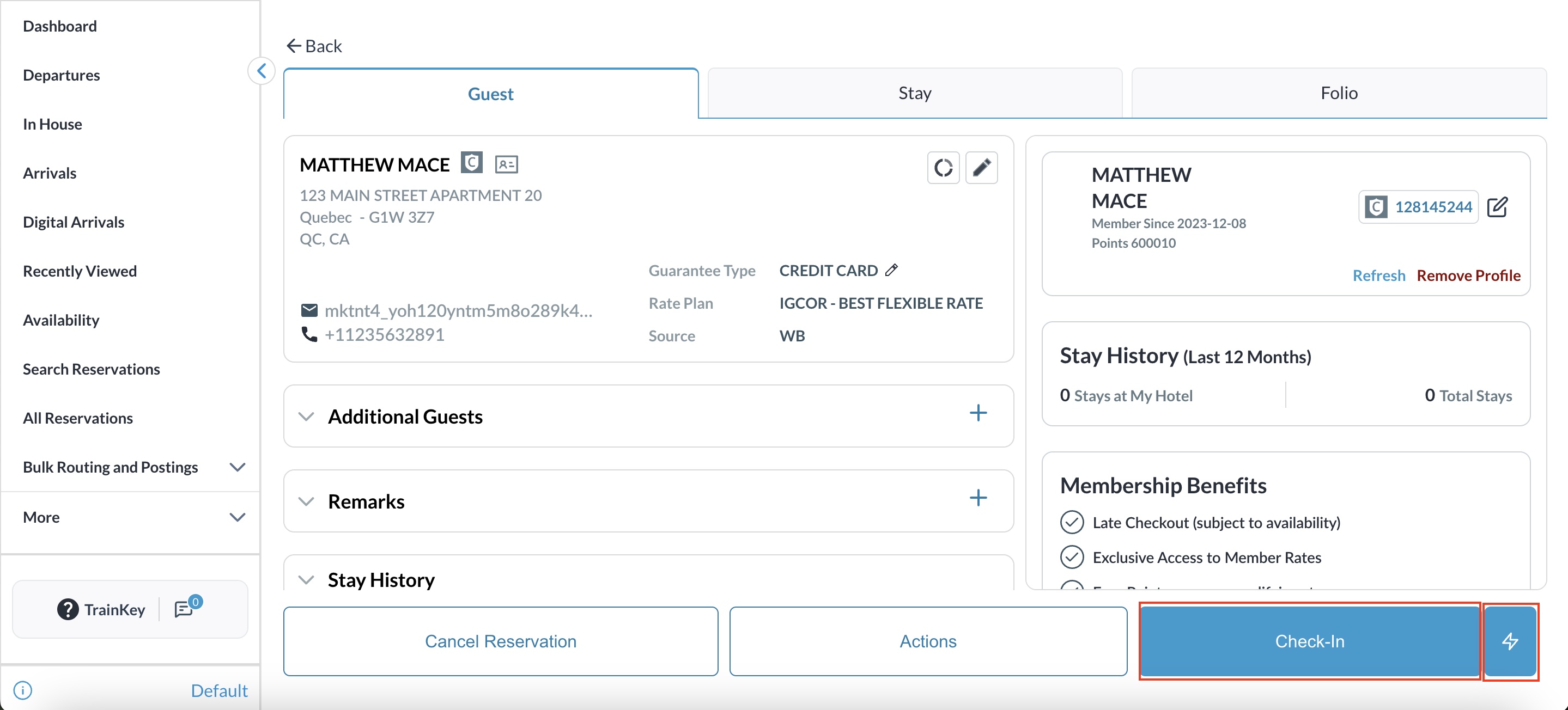
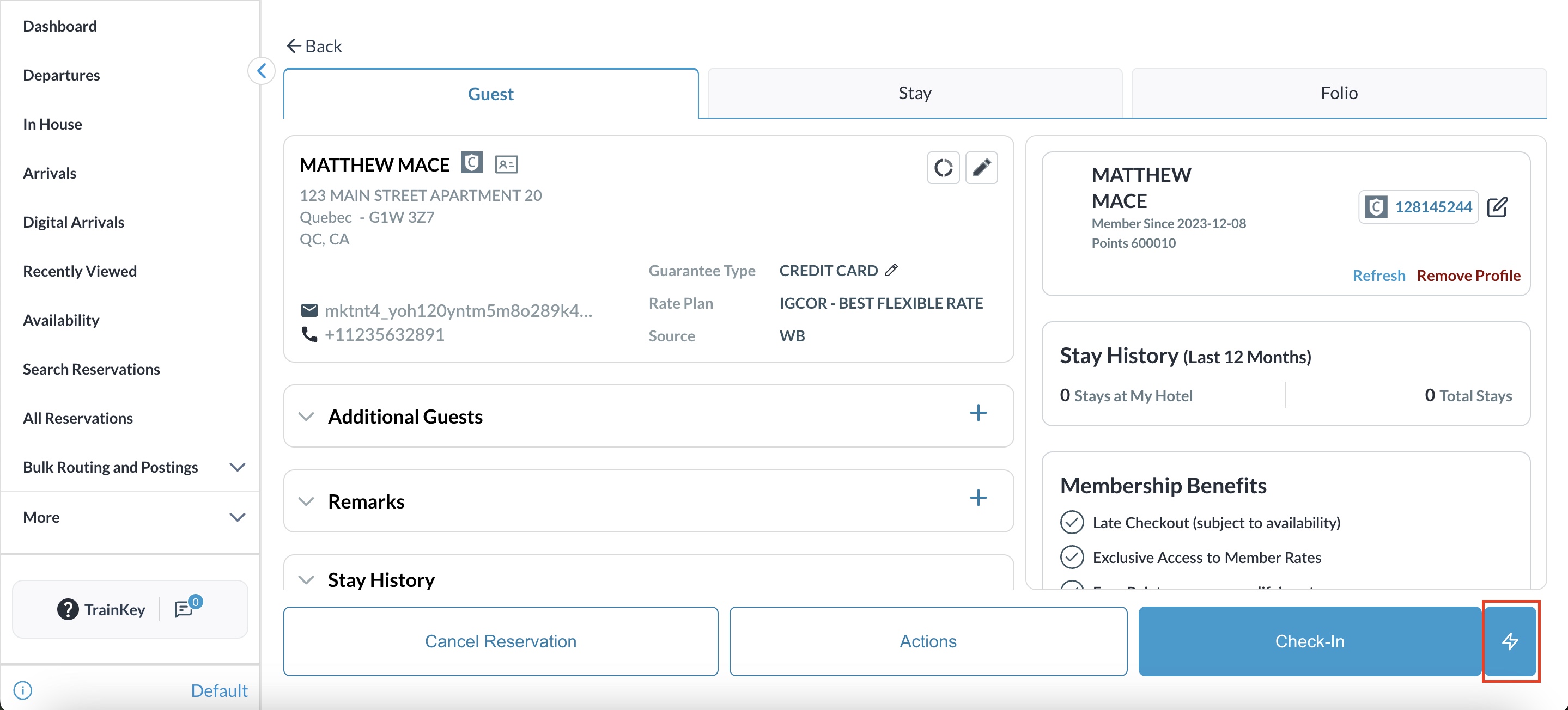
The Single-Click Check-In enhancement provides Front Desk agents with a high-speed alternative to the traditional step-by-step check-in process. Designed for "ready-to-go" reservations, this feature allows you to bypass the guided flow and move a guest to "In-House" status with one click.
By utilizing a secondary Quick Check-In button, agents can significantly reduce wait times for guests who have already met all check-in requirements. If a reservation is missing critical information, the system automatically acts as a guardrail, redirecting the agent to the Guided flow to ensure data integrity.
Eligibility Criteria
The Quick Check-In option only surfaces if the reservation is fully prepared. Ensure the following:
-
Room Assignment: A room is assigned and is in a Ready (VC/VR) status.
-
Payment: A valid credit card is on file and the required authorization has been successfully collected.
Processing the Check-In
|
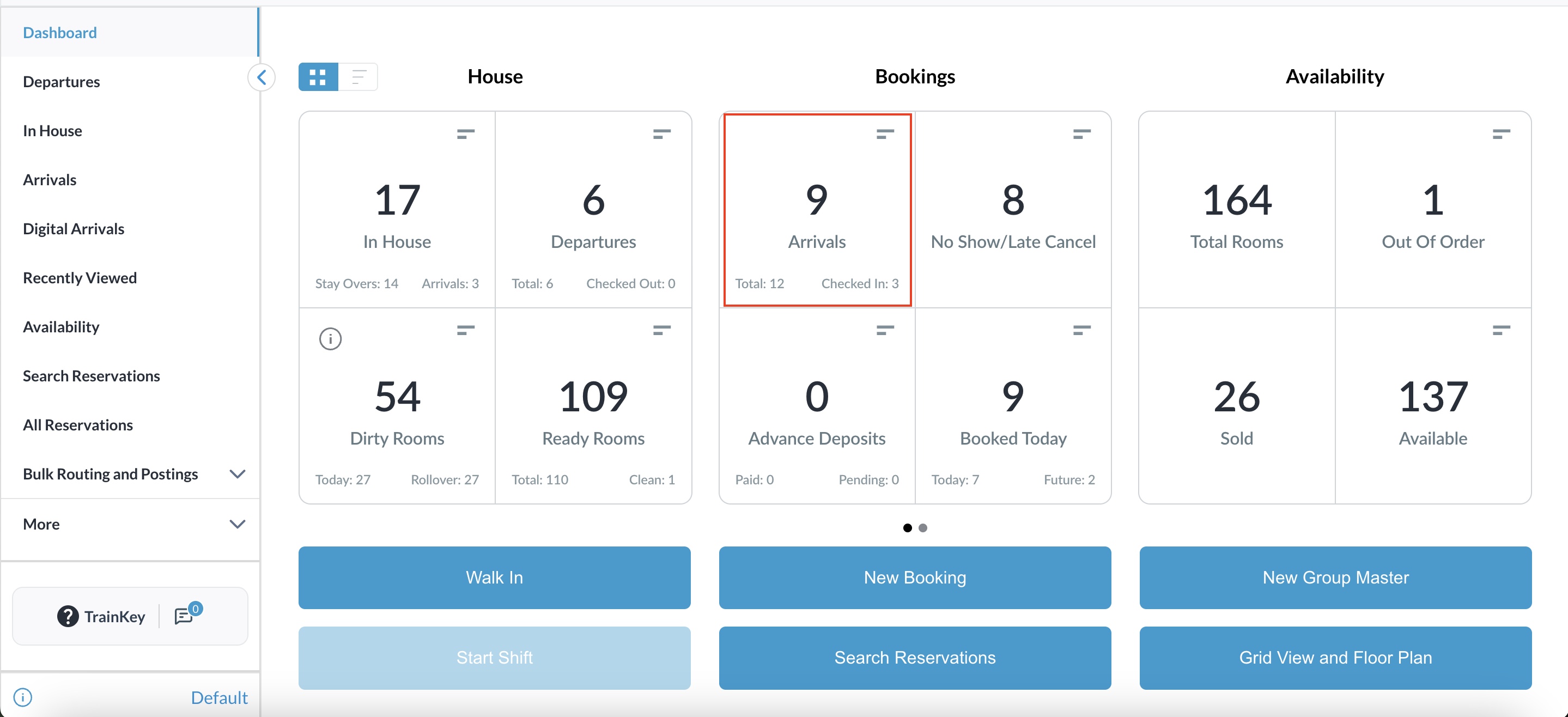
Navigate to Arrivals on Dashboard |
|
|
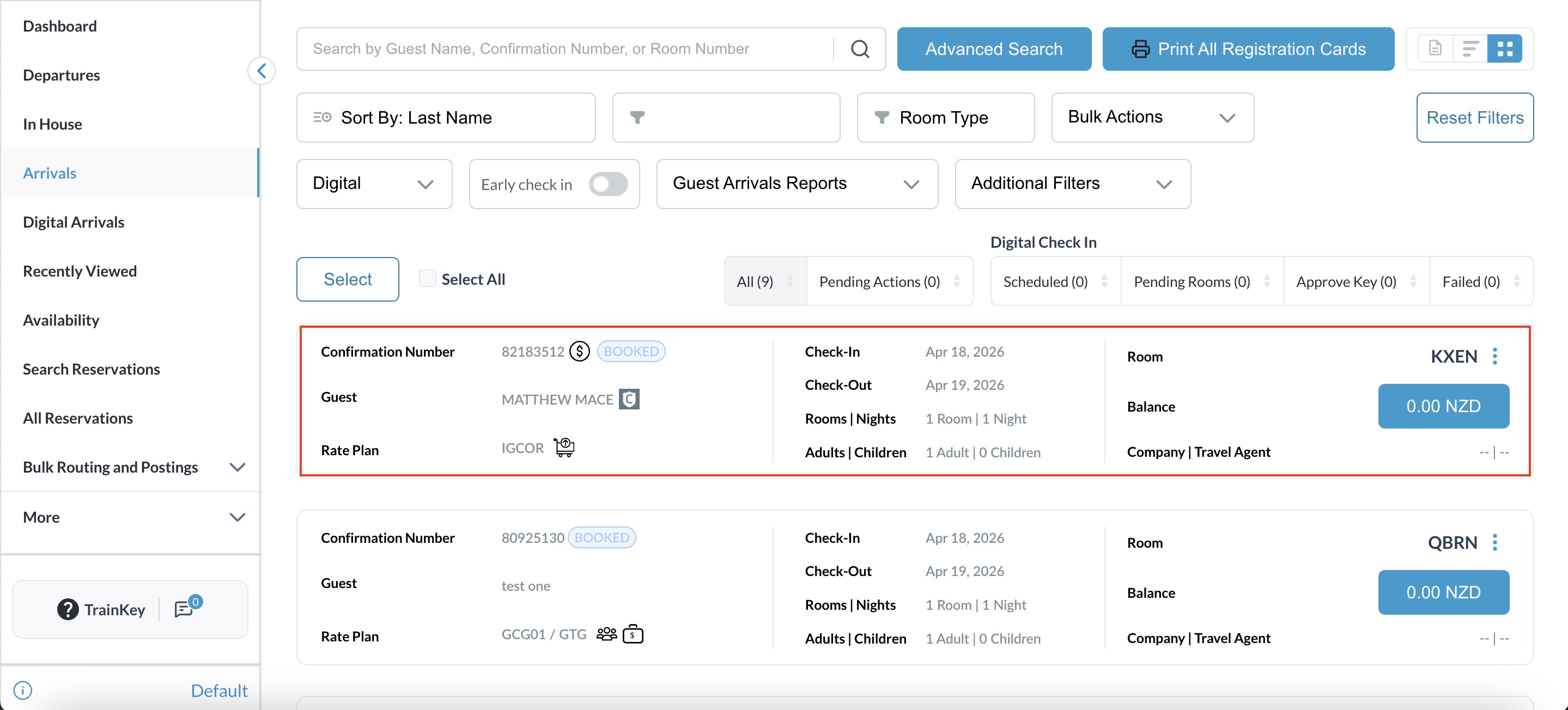
Open an eligible arrival from Arrival List. |
|
|
|
|
|
|
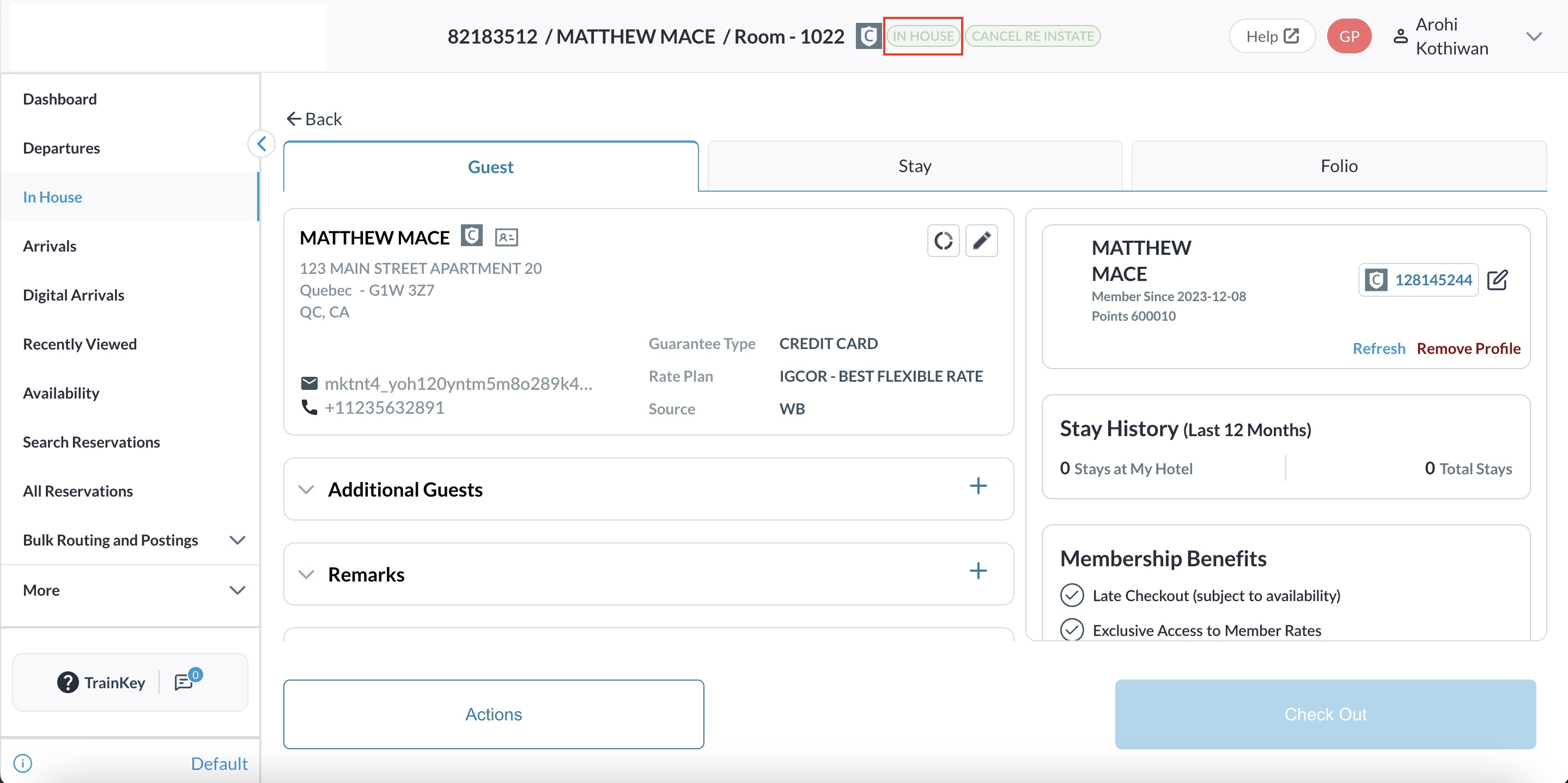
|
|
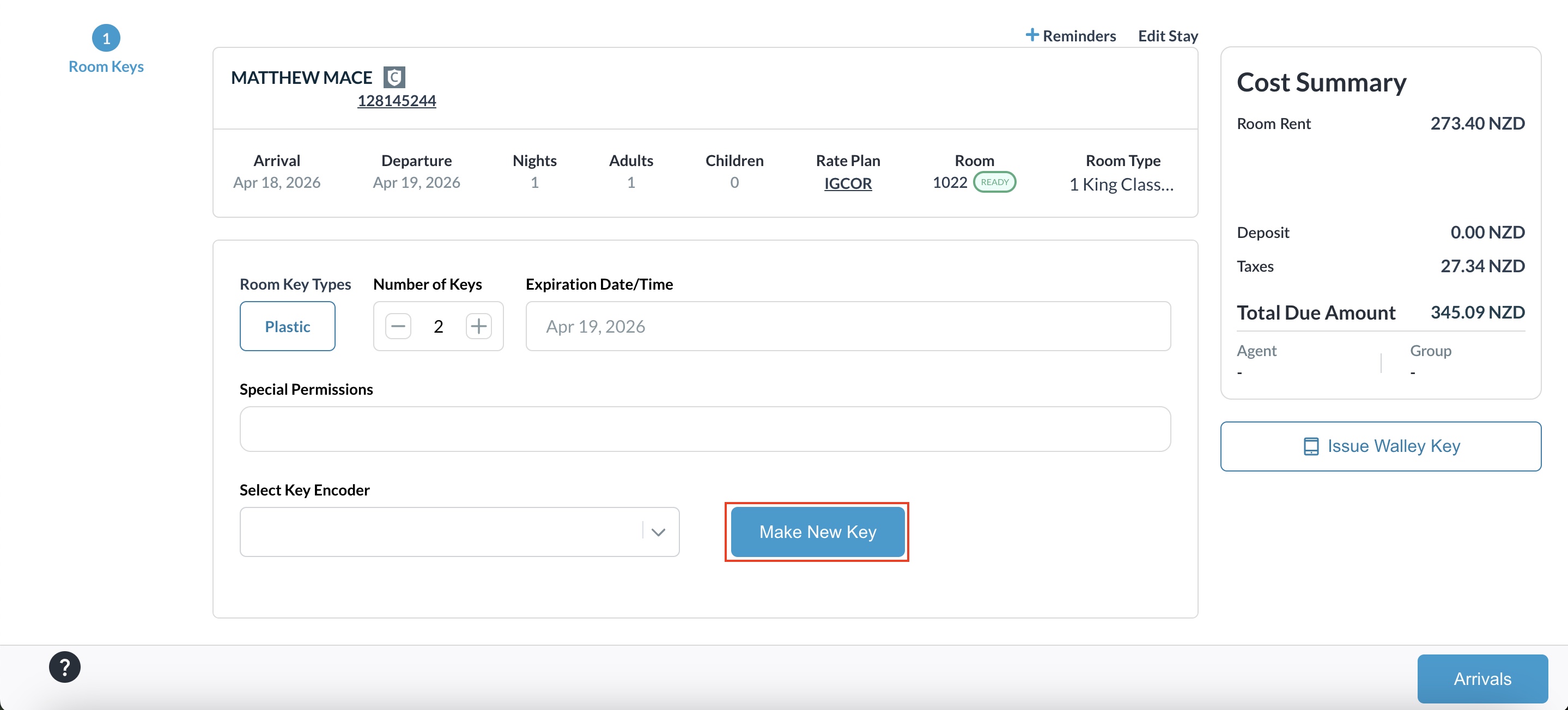
Note : Key Generation: If your profile is configured for keys, the Make Key screen will automatically appear after confirmation. |
|
|
|