
📆 Revision Date:
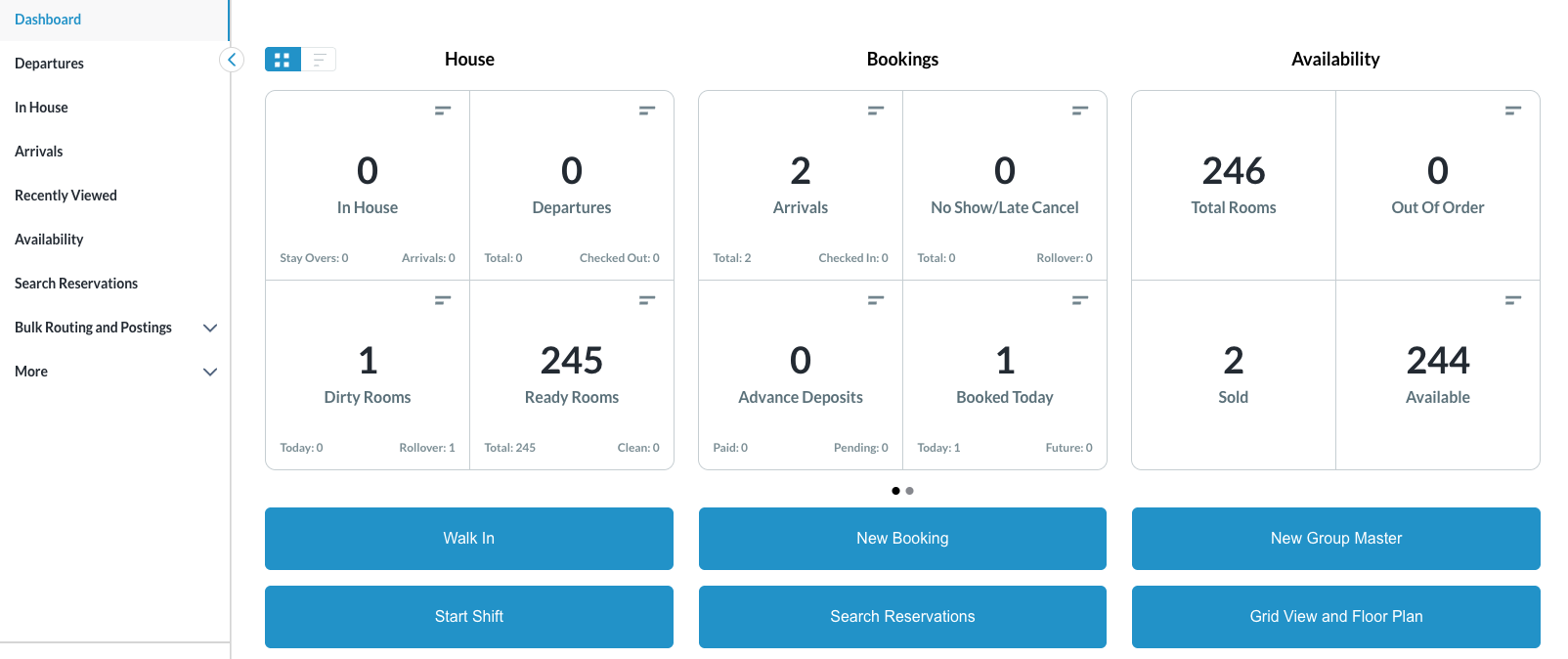
Steps for Creating and Completing a Reminder on a reservation are covered below. Create a reminder for a reservation in Arrival, Check In, In House and Check Out status.
Create a Reminder
|
Reminders can be created for a reservation in Arrival, Check In, In House and Check Out status.
|
|
|
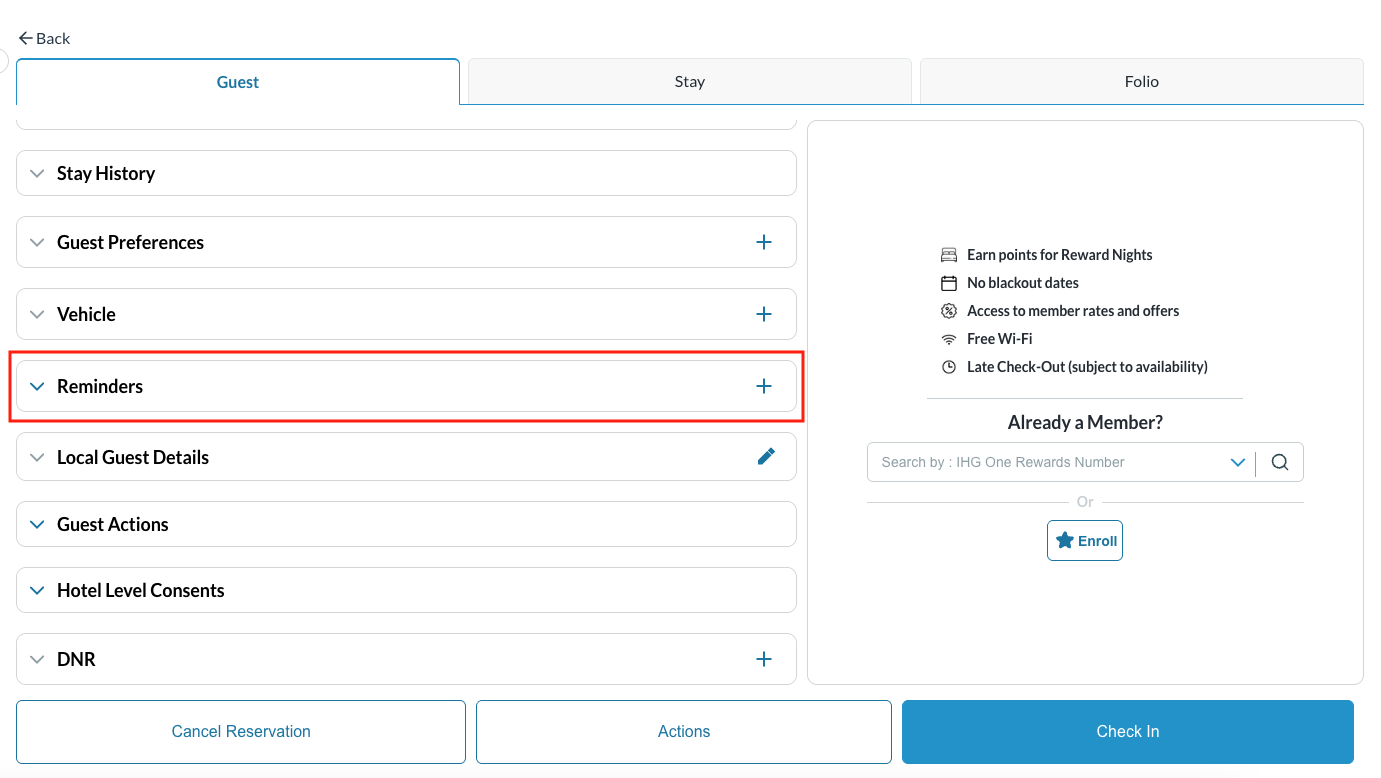
In this example, we have a reservation in Arrival status (steps are the same for In House status). From the Guest tab:
Once selected, the reminders screen loads (see here). |
|
|
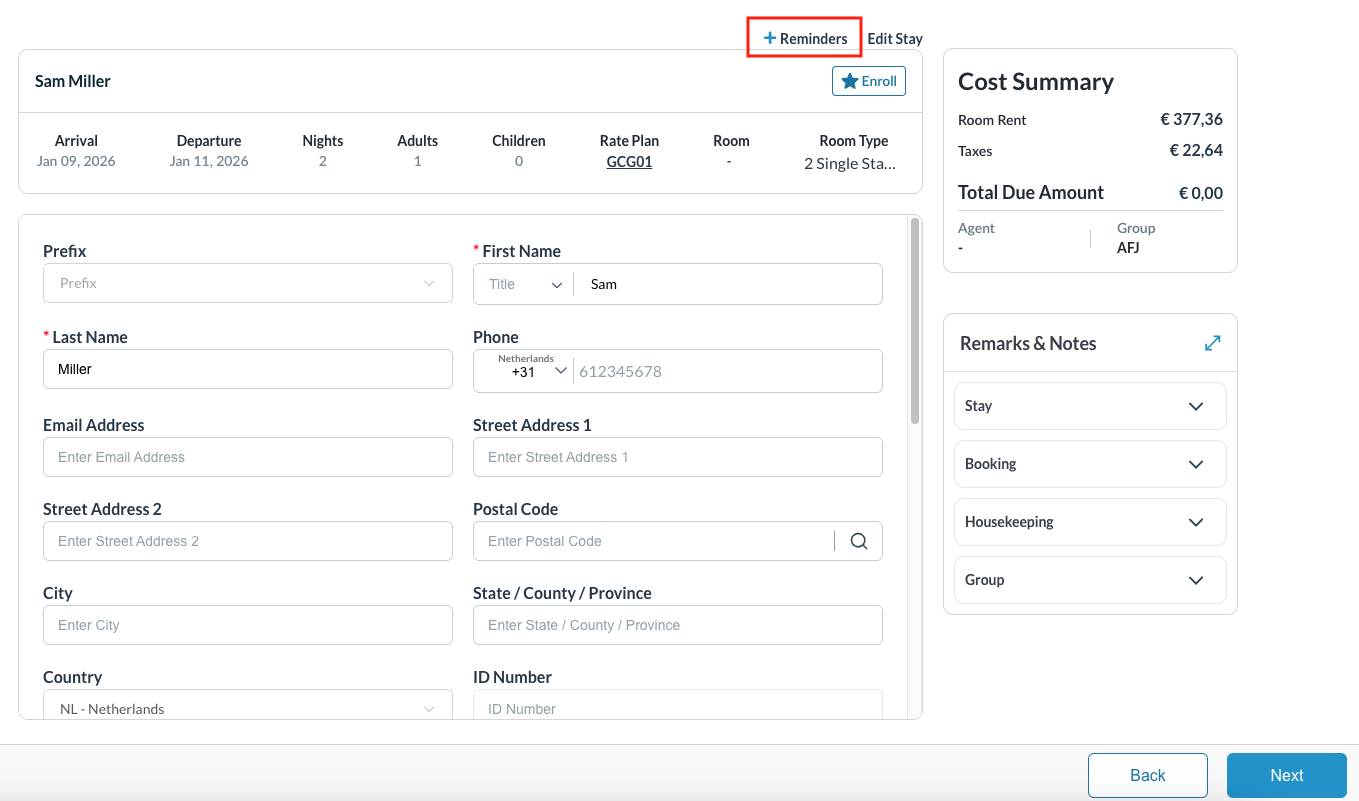
Alternatively, we can also add reminders during the Check In process. From each of the screens in the check in flow:
Once selected, the reminders screen loads in the same way it opens from the Guest tab (see here).
|
|
|
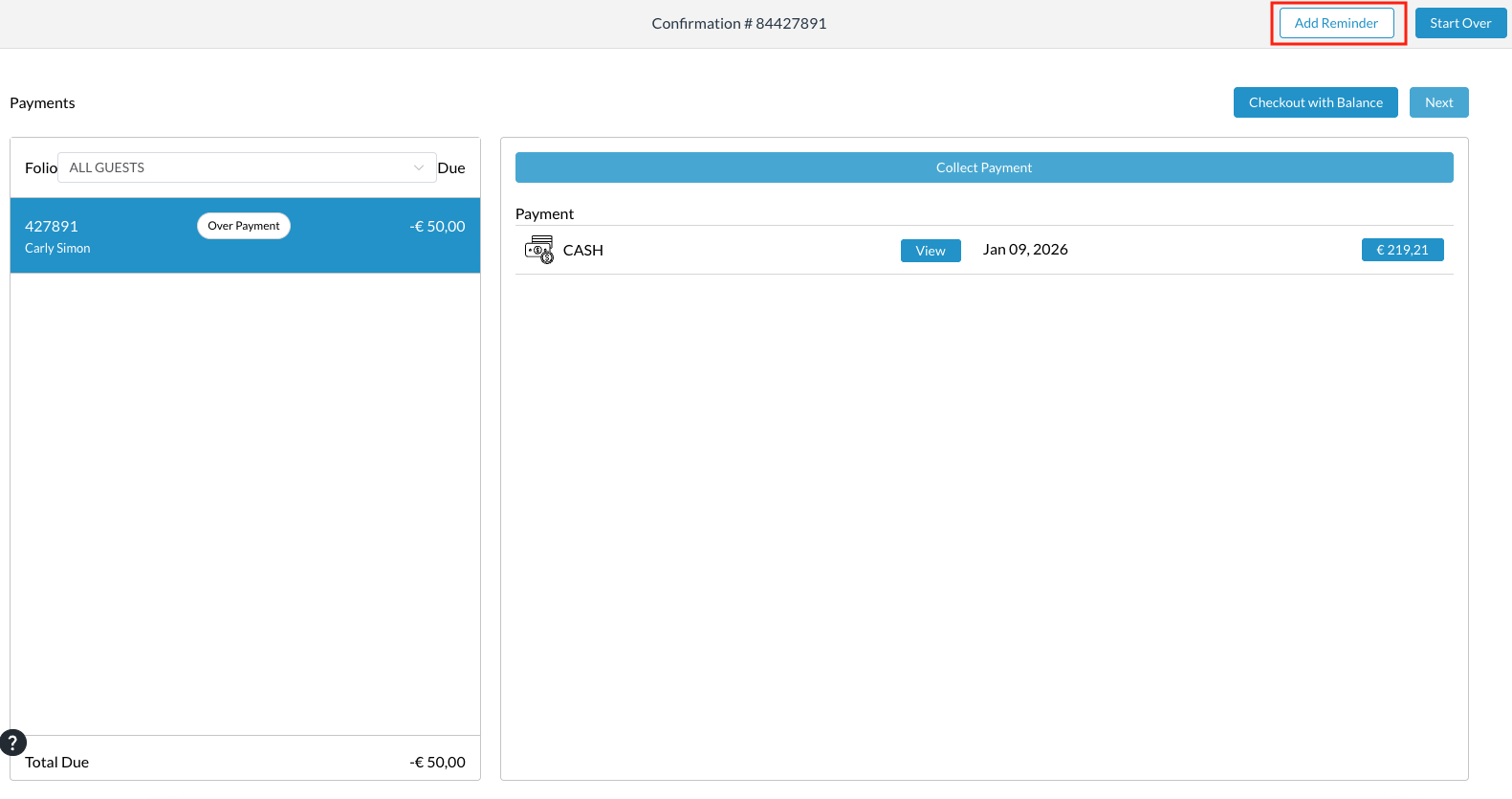
We can also add reminders during the Check Out process.
Once selected, the reminders screen loads (see here). |
|
|
The Reminders screen loads From here, the following details can be configured for a reminder to be set for hotel staff:
|
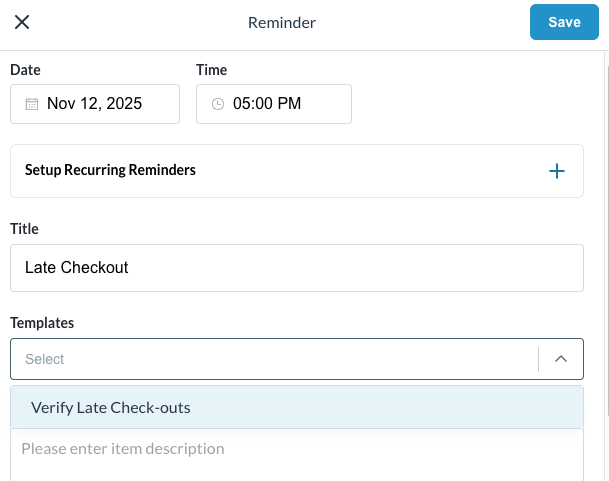
|
In this example, the reminder is set to remind Daily beginning at the date and time scheduled and then each day at that time until the defined end date or scheduled number of days. |
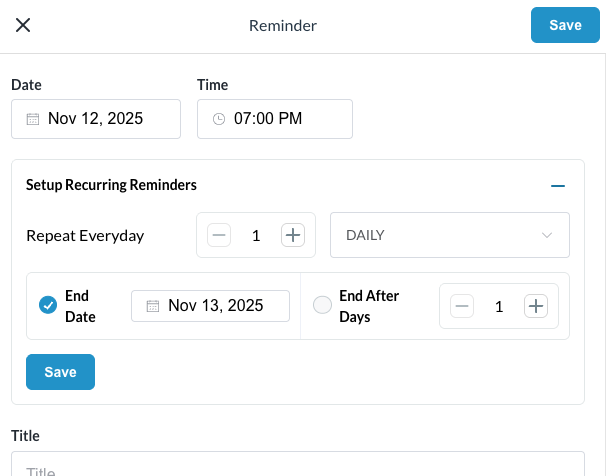
|
|
Once completed, the Reminders tab will show a small number next to it to indicate how many active reminders are present
|
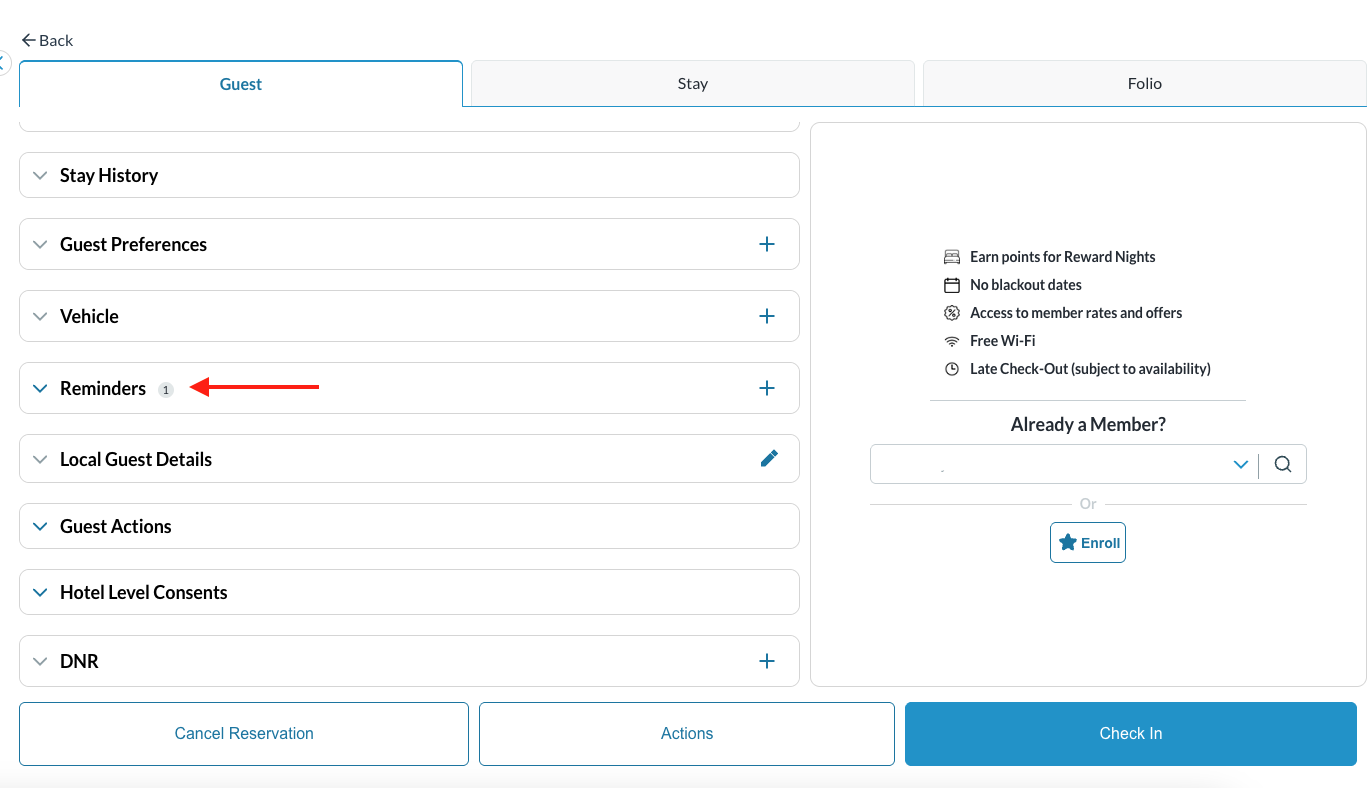
|
|
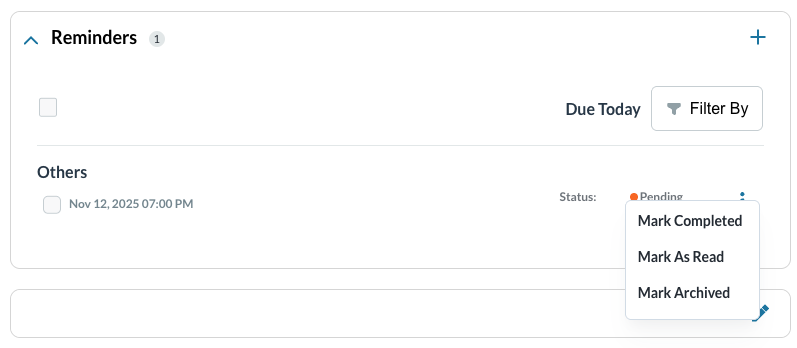
The checkbox indicates when the task has been completed and will remain in the dropdown until the task has been completed The 3 (three) dots located on the right of the reminder, when clicked, will reveal options to Mark As Read or Mark Archived Note:
Marking it as Archived will remove it from the reminders screen. Caution - archiving the task does not indicate the task has been completed, it just simply removes it from the list
|
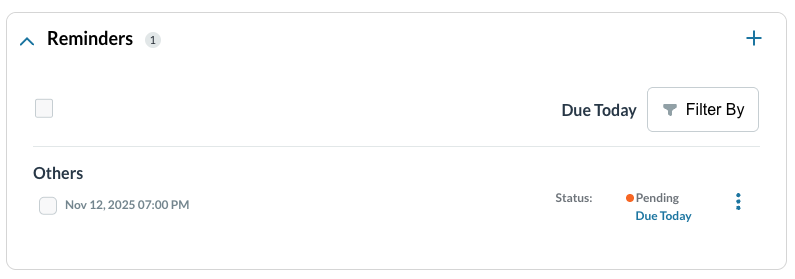
|
|
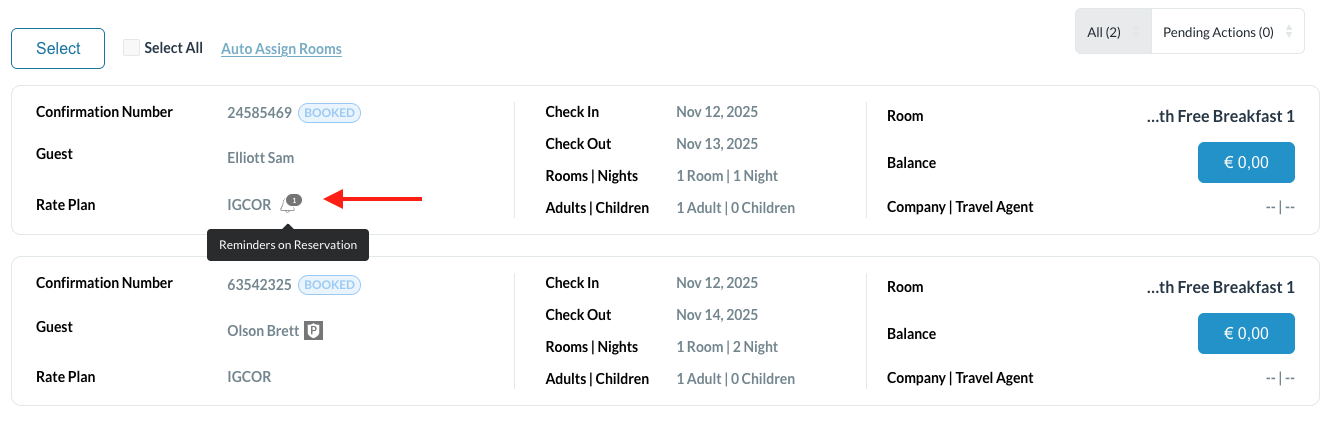
Reminders will show on the reservation listing screen - an alarm bell icon is visible and when hovering over the icon, a label appears indicating the reservation has a reminder on it. |
|
Completing a Reminder
|
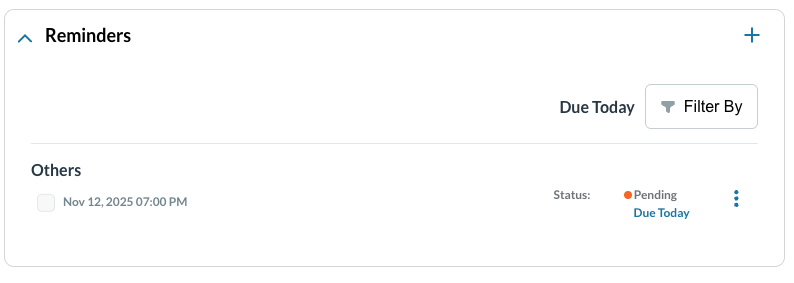
Open the reservation that has a reminder,
|
|
|
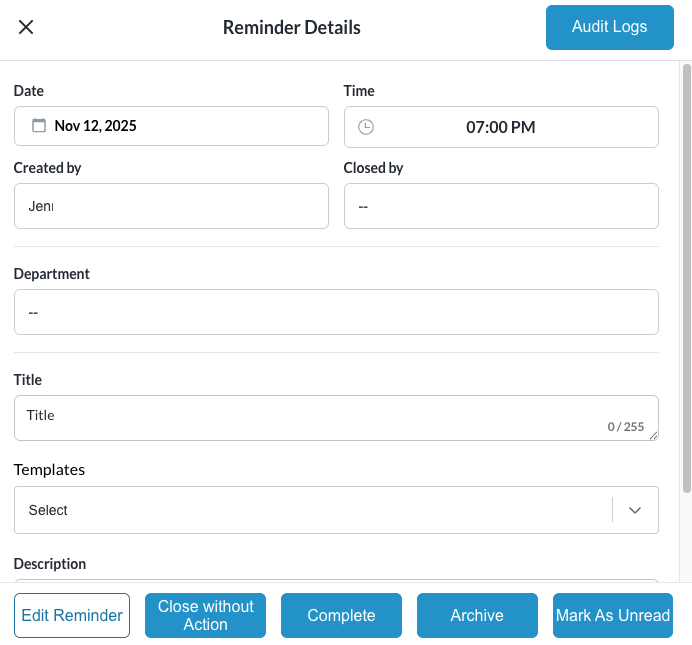
A Reminder Details popup loads From here you can choose to:
Each of these options, when selected, a popup will appear and allow for remarks. |
|
|
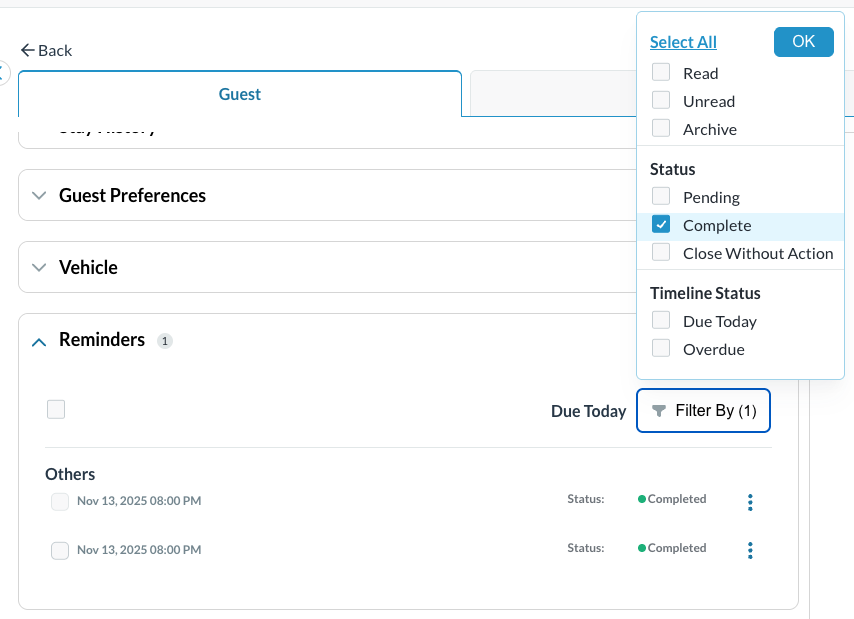
Once the Reminder has been completed, archived or closed, the reminder will no longer be visible from the Reminders tab. To view the tasks again, engage the Filter By feature and select the desired filter from the available options. |
|